
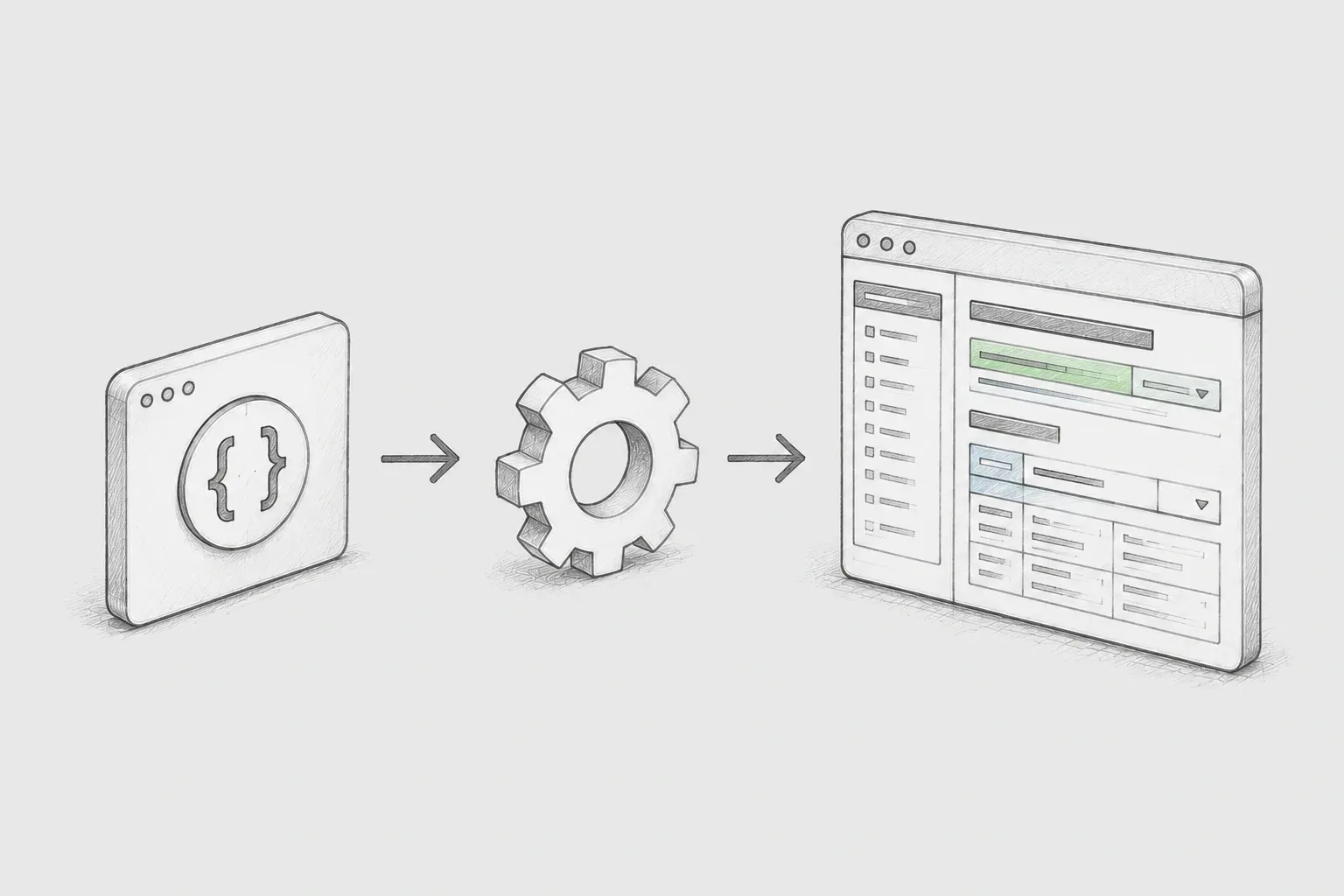
Background
In the development environment of the project, there were constraints that made it difficult to directly apply the Swagger library to the client's services. While it is possible to automatically generate API specifications based on Controller and DTO using Springfox or springdoc-openapi in a typical Spring-based service, the client's environment did not allow for flexible addition of dependencies and runtime integration for each service.
Nevertheless, the client wanted to use Swagger for API specification management. In particular, there was a need to see the current list of deployed APIs along with detailed request and response structures in the Swagger UI, and above all, there were issues arising from the delay in manual documentation and updates of APIs developed by various teams.
The starting point of the PoC was to verify whether it was possible to offer a Swagger-based documentation experience while maintaining these constraints. In other words, the goal was to create a structure through which the deployed API specifications could be checked via a central Swagger server without directly attaching the Swagger library to each service.
Problem Definition
The core of this project was to enable all development teams of the client to access a single Swagger server to check the currently deployed API specifications. Therefore, instead of displaying Swagger documentation within individual services, we planned a centralized Swagger server that collects and integrates multiple API specifications.
-
The goal was for the API specifications to be reflected in real-time to a central Swagger server managed separately, collected at the time of deployment.
-
The specification files had to be in YAML format that could be read directly from Swagger UI.
-
In the future, each development team should be able to expand the structure so that specifications can be automatically generated by simply adding the Custom Annotation I provide.
In the PoC, this goal was verified in two stages. First, by automatically generating Req / Res information collected from APIs into Swagger YAML format, this was integrated and provided on a separate server, and then the direction of creating a library that generates YAML by analyzing APIs and VOs based on Custom Annotation was verified.
PoC Configuration Overview
The service was divided into three main areas. swagger-apis serves as an external repository that stores the automatically generated API specification YAML files, swagger-demo is a Spring Boot server that reads these YAML files and exposes them in Swagger UI. swagger-file-generator verifies whether it can generate Swagger YAML files based on Java objects and aims to provide a library for each development team.
|
Folder |
Role |
Description |
|---|---|---|
|
swagger-apis |
Specification file repository |
An external directory that stores swagger.yaml files for each API. |
|
swagger-demo |
Swagger server |
Registers multiple YAML files in Swagger UI using Spring Boot and Springfox. |
|
swagger-file-generator |
YAML generation experiment |
Converts Java object models to YAML strings and saves them as files. |
The advantage of this structure is that it separates the responsibility of providing the Swagger UI from that of generating API specifications. Service code focuses on specification generation, while the central Swagger server provides the UI based on YAML files.
Central Swagger server configuration
The swagger-demo project is a Swagger server based on Spring Boot. This server does not document its own APIs but registers multiple Swagger YAML files provided by external development teams as selectable resources in Swagger UI. Each development team within the client can access this server's Swagger UI to view the currently deployed API specifications.
The core implementation is the part where SwaggerResourcesProvider is overridden. Instead of using the Swagger resource list provided by Springfox as-is, it reads YAML files from an external directory to construct the SwaggerResource list directly.
@Primary
@Bean
public SwaggerResourcesProvider swaggerResourcesProvider(
        InMemorySwaggerResourcesProvider defaultResourcesProvider
) {
    return () -> {
        List<SwaggerResource> resources = new ArrayList<>();
        List<File> innerFiles = createFilesFromExternalDir();

        innerFiles.forEach(file -> {
            String path = "/" + file.getParentFile().getParentFile().getName()
                    + "/" + file.getParentFile().getName()
                    + "/" + file.getName();
            String title = Files.readAllLines(file.toPath()).stream()
                    .filter(f -> f.contains("title"))
                    .findFirst()
                    .map(m -> m.split(":")[1].split("\"")[1])
                    .orElseGet(() -> "No Title");
            resources.add(loadResource(path, title));
        });
        return resources;
    };
}
The key point of the above code is that it dynamically constructs the resources to be displayed in Swagger UI. The paths of each YAML file are created as Spring Boot static resource paths, and the title values within the YAML are used as the names displayed in the Swagger UI dropdown.
By configuring the server in this way, individual development teams do not need to operate their own Swagger UI servers. As long as the central Swagger server is deployed, each API specification is added as a YAML file and exposed as a selectable item in Swagger UI.
External YAML Collection and Static Resource Reflection
swagger-demo uses the swagger-apis directory at the root as an external specification repository. When the server runs, it traverses the API-specific folders under ../swagger-apis/ and copies the .yaml files present in each folder to src/main/resources/static/swagger-apis/.
private List<File> createFilesFromExternalDir() throws IOException {
    String externalDir = "../swagger-apis/";
    String innerDir = "src/main/resources/static/swagger-apis/";

    List<String> externalFilePaths = Files.list(Paths.get(externalDir))
            .filter(path -> Files.isDirectory(path))
            .map(path -> Files.list(path)
                    .filter(f -> f.toString().contains(".yaml"))
                    .findFirst().get())
            .map(path -> path.getParent().getFileName() + "/" + path.getFileName())
            .toList();

    return externalFilePaths.stream()
            .map(filePath -> {
                File newFile = new File(innerDir + filePath);
                Files.createDirectories(newFile.toPath().getParent());
                Files.copy(
                        Paths.get(externalDir + filePath),
                        Paths.get(newFile.getPath()),
                        StandardCopyOption.REPLACE_EXISTING
                );
                return newFile;
            })
            .toList();
}
The YAML copied to the static resource area can be accessed through URLs like /swagger-apis/api2/swagger.yaml, and the Swagger UI reads this URL to render the API documentation. If developed into a production structure, additional measures are needed to separate the currently relative path of the external specification repository into configuration values.
Direction of Library Creation Based on Custom Annotation
The expansion direction of the PoC was to make this project a common library. Each development team adds this library as a dependency to their project and attaches Custom Annotation to the APIs they want to specify. Later, when the project is deployed, the library operates while searching for APIs annotated with the annotation.
This approach enhances usability for development teams while bypassing the constraints of the customer’s environment. Developers do not have to deal with complex Swagger configurations directly; they only need to add annotations to the APIs to be specified. The library analyzes requestBody and response VO based on Controller or Handler information and collects the information needed for Swagger YAML generation.
-
API Identification: It explores the API methods annotated with Custom Annotation.
-
Request Analysis: It traverses the requestBody type and field structure.
-
Response Analysis: It traverses the response VO type and nested field structure.
-
YAML Generation: It structures paths, parameters, definitions, and responses according to the Swagger 2.0 format.
-
Server Reflection: It generates or transmits the created YAML file to a location where the Swagger server can read it.
Once this structure is complete, updating the API specifications will naturally connect with the deployment flow. When the project is deployed, the library generates YAML based on APIs with annotations, and the central Swagger server reads the changed YAML to reflect it in the Swagger UI.
Role of the YAML Generation Project
swagger-file-generator is an experimental project to verify whether a Swagger YAML file can be generated from a Java object model. The current implementation expresses the main components of the Swagger document as VO classes and assembles the YAML string in each object's toString() method.
This project is not a completed library but a form that verifies the possibility of the YAML generation logic needed before creating an annotation-based specification generation library. By storing the results of traversing requestBody and response VO into objects like SwaggerDefinition, SwaggerProperty, and SwaggerParameter, it can be converted into the final Swagger YAML file.
SwaggerYamlContentFactory factory = SwaggerYamlContentFactory.builder()
        .info(SwaggerInfo.builder()
                .description("This is build test")
                .version("1.0.0")
                .title("TEST").build())
        .host("localhost:8080")
        .basePath("/execute")
        .paths(Arrays.asList(
                SwaggerPath.builder()
                        .url("/v1/tenants/KOREA/sample")
                        .httpMethod("post")
                        .tag("test")
                        .summary("For Sample Test")
                        .parameters(Arrays.asList(
                                SwaggerParameter.builder()
                                        .name("SampleQdo")
                                        .inType("body")
                                        .required(true)
                                        .type("object")
                                        .description("sample qdo").build()))
                        .responses(Arrays.asList(
                                SwaggerResponse.builder()
                                        .code("200")
                                        .description("sample response").build()))
                        .build()))
        .build();

String yamlFormat = factory.toString();
FileGenerator.writeObjectToFile(
        yamlFormat,
        FileGenerator.createInnerDirAndFile("test")
);
The above test code assembles a Java object and creates a YAML string using factory.toString(), saving it as swagger.yaml via FileGenerator. In the actual library phase, this object creation part can be replaced by reflection-based analysis results.
Swagger document modeling method
SwaggerYamlContentFactory is responsible for assembling the entire Swagger document. It includes info, host, basePath, paths, commonParameters, and commonDefinitions, and converts each area to a string in order.
@Getter
@Builder
public class SwaggerYamlContentFactory {
    private SwaggerInfo info;
    private String host;
    private String basePath;
    private List<SwaggerPath> paths;
    private List<SwaggerParameter> commonParameters;
    private List<SwaggerDefinition> commonDefinitions;

    @Override
    public String toString() {
        return getBasicFormat()
             + getPathsFormat()
             + getCommonParametersFormat()
             + getCommonDefinitionsFormat();
    }
}
This model corresponds nearly one-to-one with the structure of the Swagger document. SwaggerPath represents the API URL and HTTP method, parameters, and responses, while SwaggerDefinition expresses the schema definitions of request or response VOs. SwaggerProperty is responsible for converting one internal field of VO into a Swagger property.
|
Class |
Swagger Area |
Main Role |
|---|---|---|
|
SwaggerInfo |
info |
Composes document description, version, and title information. |
|
SwaggerPath |
paths |
Composes API URL, HTTP method, parameters, and responses. |
|
SwaggerParameter |
parameters |
header, query, body parameter representation. |
|
SwaggerDefinition |
definitions |
schema representation of request/response VO. |
|
SwaggerProperty |
properties |
type, example, and description of VO fields are represented. |
|
SwaggerResponse |
responses |
response code and schema reference are represented. |
This modeling becomes an important foundation when librarying. After finding an API with attached annotations, traversing the requestBody and response VO can map the results to the above objects. After that, serializing the object to YAML can create a specification file readable by Swagger UI.
Overall workflow
The final intended structure flows through each development team's project, a common Swagger generation library, a central Swagger server, and Swagger UI. The development team adds the library to their project and attaches annotations. At the deployment time, the library analyzes the API and VO and generates a YAML file. The central Swagger server collects the generated YAML and reflects it on the UI.
각 개발팀 프로젝트
  custom annotation 적용
        ↓
공통 Swagger 생성 라이브러리
  annotation 대상 API 분석
  requestBody / response VO 순회
  swagger.yaml 생성
        ↓
Swagger 서버
  YAML 파일 수집 및 리소스 등록
        ↓
Swagger UI
  전사 개발팀이 배포 API 명세 확인
This flow minimizes the Swagger settings for each service while providing the Swagger UI-based specification retrieval experience that customers want. Also, by consolidating the responsibility for API specification generation into a common library, implementation variations between development teams can be reduced.
Expected effects
The first expected benefit is the improvement of API specification accessibility. The development teams across the organization can access the central Swagger UI to check the currently deployed API specifications. Since the teams providing the API and those using it can communicate based on the same screen, collaboration costs decrease.
The second expected benefit is the reduction of the burden of keeping the documentation up-to-date. Once the Custom Annotation-based library is completed, developers can participate in the YAML generation flow simply by attaching annotations to the APIs targeted for specification. Since the specification is generated based on the requestBody and response VO at the time of deployment, the possibility of omission is reduced compared to manual documentation writing.
The third expected benefit is that it is possible to gain the benefits of Swagger while maintaining existing environmental constraints. Each service can provide a Swagger UI-based documentation experience through the central Swagger server and common libraries without deeply integrating the Swagger library directly.
-
The API specification lookup location can be unified through the common organizational Swagger UI.
-
The variance in Swagger settings between development teams can be reduced, and the method of generating specifications can be standardized based on common libraries.
-
By connecting the deployment flow and the specification generation flow, documentation can be aimed at the latest API standards.
Limitations identified in the PoC
The implementation at the PoC stage focused on verifying possibilities, so there are areas that need to be enhanced for operational application. Currently, the swagger-demo uses relative paths for external YAML, which is affected by the execution location. In the operational environment, this path should be separated as a configuration value, and the specification file repository must be clearly defined.
Additionally, the YAML generation project creates Swagger documents through string assembly methods. While this approach is easy to understand, as the document structure becomes more complex, omissions or indentation errors can occur. To advance it to an operational-level library, it is necessary to consider using a YAML serialization library or OpenAPI model objects.
Summary
The core of this PoC was to verify a method of providing Swagger-based API specifications while maintaining the constraints of the client's existing development environment. The client wanted to confirm API specifications through Swagger, and the development team needed to reduce the burden of manual document creation and specification updates.
To achieve this, we configured a central Swagger server and developed a solution to select and view multiple Swagger YAML files in the Swagger UI. Furthermore, the goal was to library the project so that each development team could apply only Custom Annotations, traversing requestBody and response VO at the time of deployment to generate Swagger YAML.
In conclusion, this project is a PoC that validated the method of automatically generating and sharing API specifications through a common library and central Swagger server rather than directly attaching Swagger to each service. It is significant in that it established a foundation for the client's development teams to confirm the deployment API specifications on the same Swagger UI.
NZ