
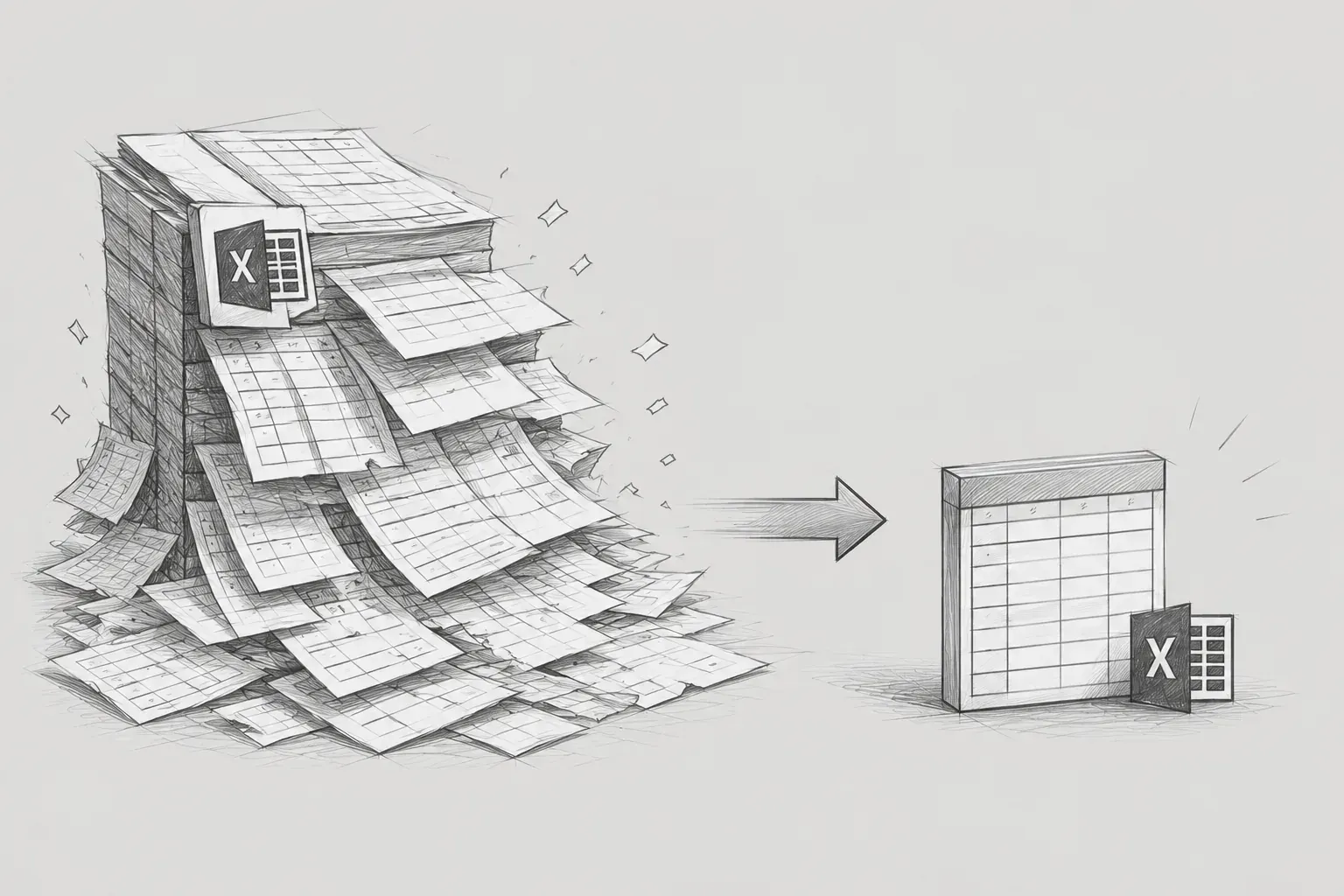
- SXSSF, FastExcel, StreamingResponseBody Implementation Process -
1. Introduction
The system developed in-house is a monitoring dashboard for a lightweight message broker platform that provides usability similar to Kafka and NATS JetStream. It monitors the Pub/Sub status of event messages and provides a function to query event entry logs.
While developing the feature to download Event Entry logs to Excel, an OOM issue occurred. Initially, it was implemented using the typical Apache POI-based method, and there were no significant problems when the amount of data was not large.
However, during operation, the amount of data to be downloaded started to increase steadily, and from the moment we attempted to download over 80,000 records, the following issues occurred.
-
Surge in response time
-
Frequent Full GC occurrences
-
Spike in heap memory usage
-
Kubernetes Pod restarts and OOMKilled incidents
Due to the memory limit (800Mi) of the Kubernetes environment at that time, the Pods were experiencing OOMKilled situations. In order to quickly resolve the issue, we initially increased the memory from 800Mi to 1500Mi, but this was only a temporary measure. Given that the data continues to grow, it was clear that the same problem would recur at some point, and the root cause was evident.
"The structure itself that loads all data into memory to create Excel"
This document is not a story that found the answer all at once. It records in order what the real problem was after several attempts including library replacement, chunkSize adjustment, and structural changes.
2. Issues with the Existing Structure
2-1. A structure that loads all data into memory
The existing downloading method followed the flow as follows.
DB 전체 조회
→ List 메모리 적재
→ XSSFWorkbook 생성
→ ByteArrayOutputStream 생성
→ byte[] 변환
→ HTTP 응답 반환
Almost every step of this process was operating based on JVM Heap. It was structured to return responses while keeping all the data, including the queried data List, Workbook objects, Row data, ByteArrayOutputStream buffer, and the final byte[], in memory. As the number of data entries increased, the Heap usage rose exponentially, causing Full GC to occur repeatedly.
2-2. N+1 Problem due to Reuse of Screen Query Logic
The Excel download logic was directly reusing the screen query logic. This led to additional fetching of associated entities based on Lazy Loading, resulting in an N+1 problem where the number of SQL executions dramatically increased as the data entered grew.
To solve this, I wrote a separate query for Excel downloads, changed it to fetch associated data in one go through JOIN, and directly mapped to DTO. Additionally, a general LIMIT / OFFSET method has an issue where the cost of rescan for earlier data increases linearly as the offset grows, so I changed to a cursor-based method with the condition lastOffset > ?. The cursor method is always handled as an index range scan, maintaining consistent query performance even with large volumes.
3. First Attempt: SXSSFWorkbook + chunkSize
3-1. Approach
Initially, I judged that "the problem is with Apache POI itself." I replaced it with SXSSFWorkbook, the streaming method officially provided by POI, and instead of fetching all data at once, I changed the approach to query the database in chunks (chunkSize) and insert it into the Excel Row.
int chunkSize = 1000;
int offset = 0;
while (true) {
    List<EventEntryDto> chunk = repository.findByChunk(offset, chunkSize);
    if (chunk.isEmpty()) break;
    for (EventEntryDto item : chunk) {
        Row row = sheet.createRow(rowIndex++);
        row.createCell(0).setCellValue(item.getOffset());
        row.createCell(1).setCellValue(item.getPartitionNo());
        // ...
    }
    offset += chunkSize;
}
3-2. Results and Issues
It ran without OOM during local environment tests. In the local environment, approximately 80,000 entries took about 1 minute and 48 seconds, which was a speed issue, but it worked nonetheless.
However, when deployed to the development environment (Docker environment), an unexpected error occurred.
java.lang.NullPointerException
    at sun.awt.FontConfiguration.getVersion(FontConfiguration.java:1264)
    at sun.awt.FontConfiguration.readFontConfigFile(FontConfiguration.java:219)
    at sun.awt.FontConfiguration.init(FontConfiguration.java:107)
    at sun.awt.X11FontManager.createFontConfiguration(X11FontManager.java:774)
    at sun.font.SunFontManager$2.run(SunFontManager.java:431)
    ...
SXSSFWorkbook was internally referencing the system font, which caused an error as that font was not installed in the Docker container.
While there was a way to directly install the font in the container, I chose not to go this route. This would create dependency differences between local and development/production environments, and if the font installation was missed, it would increase the complexity of failure causes. I determined that swapping it for a library without font dependencies was a fundamental solution rather than adding external dependencies in the production environment.
Conclusion of the first attempt: It worked locally but encountered a font error during deployment to the development environment. Speed issues and environmental dependency issues remain.
4. Second Attempt: FastExcel + StreamingResponseBody
4-1. Background for Library Selection
I reviewed libraries that can solve font errors while also addressing speed issues.
-
EasyExcel: While the streaming processing itself was good, the same font error as SXSSFWorkbook occurred when deployed in the development environment. This was due to its internal structure referencing system fonts.
-
FastExcel (dhatim/fastexcel): It operates on a row-based streaming model and has very little dependency on system fonts, functioning normally in a Docker environment without any separate configuration. According to the official documentation, it uses about 12 times less heap memory compared to Apache POI (non-streaming).
4-2. Additional issue discovered: byte[] conversion
During the process of replacing the library, I found another issue with the existing structure. The process of converting ByteArrayOutputStream to byte[] after the Excel generation was causing a significant increase in memory usage for large volumes.
기존: 전체 생성 완료 → byte[] 변환 → 응답 시작
개선: Row 생성 → 즉시 OutputStream write → 클라이언트 전송 시작
This was resolved using StreamingResponseBody. It writes the Excel rows directly to the OutputStream while simultaneously streaming them as an HTTP response. By using StreamingResponseBody, the download can start on the client side before the Excel is completely generated. The overall completion time remains the same, but the point at which the browser begins downloading the file is advanced, significantly improving the perceived speed for the user.
@PostMapping("/export-entries/fetch")
public ResponseEntity<StreamingResponseBody> exportEntries(@RequestBody ExportEntriesFetch fetch) {
    fetch.validate();

    StreamingResponseBody response = out ->
        entryExportService.exportToExcel(out, fetch.getStreamId(), fetch.getPartitionId(),
            fetch.getName(), fetch.getEntryOffset());

    return ResponseEntity.ok()
        .contentType(MediaType.parseMediaType(
            "application/vnd.openxmlformats-officedocument.spreadsheetml.sheet"))
        .header(HttpHeaders.CONTENT_DISPOSITION,
            "attachment; filename=\"entries-%s.xlsx\"".formatted(fetch.getStreamId()))
        .body(response);
}
public void exportToExcel(OutputStream out, String streamId, String partitionId,
String name, String searchOffset) {
try (Workbook workbook = new Workbook(out, "MyApp", "1.0")) {
Worksheet sheet = workbook.newWorksheet("Entries");
String[] headers = {"No", "Partition", "Offset", "Produced At",
"Route Key", "Compression", "Format", "Checksum", "Payload"};
for (int i = 0; i < headers.length; i++) {
sheet.value(0, i, headers[i]);
}
for (PartitionSummaryDto partition : partitions) {
while (true) {
List<EntryExportDto> entries = entryRepository.findExportEntries(
streamId, partition.getId(), name, searchOffset, lastOffset, CHUNK_SIZE);
for (EntryExportDto entry : entries) {
sheet.value(rowIdx, 0, rowIdx);
// ... 각 컬럼 값 삽입
rowIdx++;
}
sheet.flush();
if (entries.size() < CHUNK_SIZE) break;
lastOffset = entries.get(entries.size() - 1).getEntryOffset();
}
}
workbook.finish();
out.flush();
}
}4-3. Results and issues
The font error has been resolved, and the perceived speed has improved significantly. Based on local tests, for 20,000 entries it took about 1.92 seconds, and for 60,000 entries about 6.03 seconds, showing a notable performance improvement compared to the initial attempt.
However, OOM recurred at 170,000 entries. Upon analysis, I found that while the DB queries were divided by chunkSize, the entity objects processed within each chunk were accumulating without being garbage collected. JPA entities carry various metadata alongside the actual data, such as relationship information, Proxy objects, and references to PersistenceContext. Even if the chunks are divided, if these entities maintain their references while looping, memory will not be sufficiently released.
Conclusion of the second attempt: font error resolved, speed improved. However, OOM recurred for large volumes due to entity accumulation.
5. Third attempt (final): Lightweight DTO conversion + adjustment of chunkSize measurement
5-1. Core cause: Entities were neutralizing the chunks
Even when the query is divided into chunks, the reason memory is not released is due to the nature of JPA entity objects. Entities are not simple data containers. Entities managed by JPA also carry additional information such as:
-
Relationship fields (including lazy proxies)
-
Hibernate internal metadata
-
First-level cache reference of PersistenceContext
Even if you loop in chunks, if the entities from the previous chunk still have references, they will not be eligible for GC. In cases where you iterate through tens of thousands of entities like in Excel downloads, this accumulation ultimately leads to OOM.
The solution was simple. By querying a lightweight DTO that contains only the fields needed for Excel, the JPA managed objects are not created, so they become eligible for GC immediately after chunk processing.
// 기존: JPA 엔티티 조회 — 메타데이터, 연관 관계까지 메모리에 올라옴
List<EventEntry> entries = entryRepository.findByStreamId(streamId);
// 변경: 경량 DTO 조회 — 엑셀에 필요한 필드만 포함
List<EntryExportDto> entries = entryRepository.findExportEntries(...);
public record EntryExportDto(
Integer partitionNo,
Long entryOffset,
String producedAt,
String routeKey,
String compressionType,
String payloadFormat,
String checksum,
String payload
) {}5-2. Chunk Size Measurement Adjustment Process
The results varied depending on how to set the chunk size even after the DTO conversion. We found the optimal value through measurements.
|
chunkSize |
Result |
|---|---|
|
5,000 |
OOM Occurred — Still a large memory burden per chunk |
|
1,500 |
Intermittent OOM — Unstable in edge cases |
|
500 |
No OOM — But the overall speed is too slow due to the increase in DB query counts |
|
1,000 (Final Adoption) |
No OOM + Speed is within acceptable range |
chunkSize is not simply "the smaller the safer." If it's too small, the number of DB round trips increases, and if it's too large, the memory burden within the chunk increases again. It's important to consider the actual data size (especially when dealing with variable-sized columns like the Payload field) and to make decisions based on measurements taken.
Excel downloads are batch operations. Even if it takes some time, completing without OOM provides a better experience for users. It's far worse for the server to crash during the download than to wait two minutes.
In real operational environments, "completing stably to the end" was more important than "highest speed."
5-3. Final Results
The local figures in the table below are measurements from the 1st and 2nd attempts, while the development figures are based on the currently deployed final version.
|
Number of Data Entries |
Environment |
1st (SXSSF) |
2nd (FastExcel) |
Final (DTO + chunk 1000) |
|---|---|---|---|---|
|
80,000 entries |
Local |
1 minute 48 seconds |
— |
— |
|
20,000 |
Local |
— |
1.92s |
— |
|
60,000 |
Local |
— |
6.03s |
— |
|
170,000 |
Local |
— |
OOM |
— |
|
— |
Development |
font error |
— |
— |
|
50,000 cases |
Development |
— |
— |
about 4s |
|
120,000 cases |
Development |
— |
— |
about 5.5s |
|
320,000 cases |
development branch |
— |
— |
OOM (improvement planned) |
The performance based on the final version of the development branch is as follows.
|
Data count |
Response time |
OOM status |
|---|---|---|
|
50,000 cases |
approximately 4s |
none |
|
120,000 cases |
approximately 5.5s |
none |
|
320,000 entries |
— |
Occurrence (improvements planned) |
6. Additional improvement direction (320,000 OOM analysis)
Currently, OOM is recurring with 320,000 entries. Initially, I thought it was simply because the chunkSize was still too large. However, upon further investigation, the key issue was that a structure remains which accumulates large and unique strings like Payload on a Workbook basis.
Most xlsx libraries, including FastExcel, maintain a shared string table internally. When a string is written with sheet.value(), that string is registered in this cache, and even if Row data is exported with sheet.flush(), the shared string table remains in memory until the Workbook is closed. If large strings with different values stack continuously like Payload, no matter how small the chunks are divided, memory can only accumulate throughout the entire lifespan of the Workbook.
Memory release at the chunk level was working well, but the living shared string cache with the lifespan of the Workbook was becoming a separate accumulation point. Using sheet.inlineString() instead of sheet.value() allows strings to be directly recorded within the cell without storing in the shared string cache, making it more likely to be released from memory after flush. Removal of duplication in generating Payload strings, length limitations on output, etc., also need to be reviewed. This is the next improvement target.
7. Conclusion
Through this work, I experienced firsthand that 'it works locally' and 'it operates stably in a production environment' are completely different stories. The choice of library is not just a matter of performance metrics, but constraints such as font dependencies in container environments should be included in the decision criteria.
Moreover, even if queries are divided into chunks, using lightweight DTOs instead of entities is essential for the chunks to be meaningful, and chunkSize should be determined through actual measurements rather than theory; this is another key takeaway from this work.
I believe it's helpful for colleagues facing the same issues to honestly leave the note that this is not a completely resolved story.
Reference materials
-
FastExcel GitHub: https://github.com/dhatim/fastexcel
-
Comparison of XSSF vs SXSSF vs EasyExcel: https://velog.io/@dradnats1012/Springboot-Excel-생성과정-개선XSSF-vs-SXSSF-vs-EasyExcel
-
Related references for FastExcel: https://jaimemin.tistory.com/2191
-
Reference for font error: https://joalog.tistory.com/121
pong