
Introduction to QueryDSL starting from the limitations of JPA: from setup to dynamic queries
1. Why was QueryDSL necessary?
Using Spring Data JPA allows for rapid development of simple query functionalities. This is because you can easily create query methods like findById and findByUserIdAndStatus just by following method naming conventions. In the initial stages of the project, this approach was often sufficient to meet most requirements.
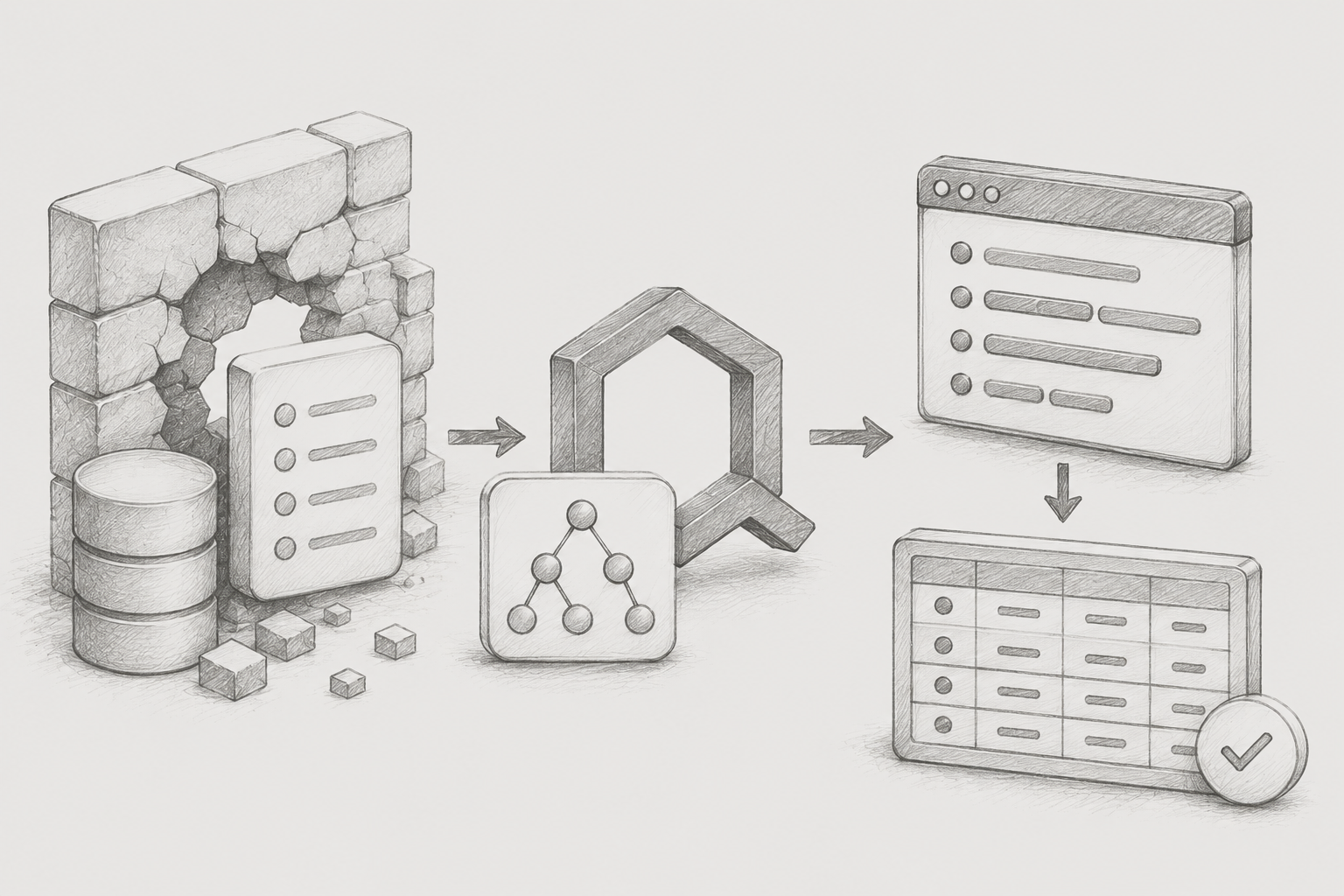
However, as the service grew and data relationships became more complex, limitations began to emerge. Problems particularly arose in situations where multiple tables needed to be queried simultaneously. For example, when having to retrieve order information, subscription information, and settings information together, it was often difficult to handle this solely with JPA Repository methods.
Initially, each table was queried separately, and then the data was combined directly in the Java code. Due to the project structure, there was a relationship between each main data and its associated stage settings, requiring additional retrieval of stage settings for each data item every time the list was queried, resulting in a sharp increase in the number of queries. This method had the following critical issue.
-
Round TripIncrease
-
N+1Query explosion due to issues
-
Unnecessary memoryIncreased usage and rising complexity of retrieval logic
Initially, the data scale was small, so there were no major issues. However, as the overall system data volume increased and service usage grew, the response speed noticeably degraded. To address this, it became urgent to structure the queries to retrieve multiple tables in a single JOIN query.
Of course, we also considered using JPQL directly. However, since JPQL is written in a string-based format, typos cannot be detected at compile time, its stability decreases during refactoring, and there are clear limitations in handling dynamic conditions. Ultimately, we decided to introduce QueryDSL, which allows for type-safe and flexible dynamic query writing.
2. Setting up QueryDSL
Since the existing project did not have QueryDSL settings, I had to configure the environment directly from the beginning. Initially, I thought I could simply add the dependencies to build.gradle and use it immediately, but in reality, detailed settings suitable for the Spring Boot 3.x environment were required. The setup method I built, after encountering an error indicating that JPAQueryFactory could not be found when I ran it with just the dependencies, is as follows.
2-1. Add dependencies in build.gradle
 dependencies {
     implementation 'com.querydsl:querydsl-jpa:5.0.0:jakarta'
     annotationProcessor "com.querydsl:querydsl-apt:5.0.0:jakarta"
     annotationProcessor "jakarta.annotation:jakarta.annotation-api"
     annotationProcessor "jakarta.persistence:jakarta.persistence-api"
 }

 sourceSets {
      main {
          java {
              srcDirs = ['src/main/java',
'build/generated/sources/annotationProcessor/java/main']
        }
    }
}
The Spring Boot 3.x environment is based on Jakarta EE instead of the existing javax, so you must append the :jakarta classifier to the querydsl-jpa and querydsl-apt dependencies. If you omit this option, it will internally reference the javax package, leading to compilation errors.
Also, you need to add sourceSets settings along with the three-piece annotationProcessor set to ensure that Gradle correctly recognizes the auto-generated generated directory as a source path. If this configuration is missing, the build may succeed, but you will encounter issues importing Q classes in the IDE.
2-2. QClass and JPAQueryFactory
If the build is successfully performed, classes like QOrderJpo and QMemberJpo based on the @Entity class are automatically generated in the designated path.
Comparing the traditional JPQL string method with QueryDSL, the difference in stability provided by type safety is clearly evident.
// 1. String-based JPQL approach: Syntax errors cannot be caught at compile time
String jpql = "SELECT o FROM Order o WHERE o.userId = :userId";

// 2. QueryDSL approach: Safe types and compiled validation
QOrderJpo order = QOrderJpo.orderJpo;

queryFactory
    .selectFrom(order)
    .where(order.userId.eq(userId))
    .fetch();
In this way, QueryDSL allows queries to be written in Java code through Q classes, enabling 100% utilization of IDE autocomplete and compiler validation features, and it is also very safe during refactoring when changing entity field names.
To execute the Q-class-based query generated this way, a JPAQueryFactory is required, which Spring does not automatically register as a bean, so you must create a separate configuration class as shown below to inject the EntityManager and register it as a bean.
@Configuration
public class QueryDslConfig {

    @PersistenceContext
    private EntityManager entityManager;

    @Bean
    public JPAQueryFactory jpaQueryFactory() {
        return new JPAQueryFactory(entityManager);
    }
}
Once the configuration is complete, each repository can flexibly use JPAQueryFactory by injecting it using constructor injection (@RequiredArgsConstructor).
3. Basic Usage: JOIN Query
After completing the QueryDSL setup, the first thing I addressed was the complex multi-table JOIN logic. This was applied in situations where it was necessary to retrieve order data along with member information, category information, and so on.
List result = queryFactory
    .selectFrom(order)
    .innerJoin(customer).on(order.customerId.eq(customer.id))
    .innerJoin(category).on(order.categoryId.eq(category.id))
    .where(
        order.userId.eq(userId),
        order.shopId.eq(shopId)
    )
    .fetch();
By using innerJoin().on() in QueryDSL, you can flexibly specify join conditions and combine independent tables that do not have established relationship mappings (FK structure). Additionally, multiple conditions listed with commas within the where() clause are automatically grouped as AND conditions, which keeps the readability clean without falling into parentheses hell.
Thanks to this single join query, the number of round trips to the database that were previously made multiple times has been consolidated into just one, reducing the server's burden as the complex mapping logic that entangled Java code in memory has disappeared, dramatically improving response speed.
4. Advanced: Dynamic Query + Paging Processing
In a practical environment, the search functionality is mostly a 'dynamic query' where various search conditions such as keywords, join dates, and status values can be selectively included. In traditional JPQL, string concatenation using if statements can lead to poor readability, but QueryDSL allows for clean processing by utilizing BooleanExpression, like assembling Lego blocks.
JPAQuery query = queryFactory
    .selectFrom(member)
    .join(subscription).on(member.id.eq(subscription.memberId))
    .where(
        subscription.shopId.eq(shopId),
        keywordContains(keyword),   // returns null if empty, ignored by where clause
        statusEq(status)            // returns null if empty, ignored by where clause
    )
    .offset(pageable.getOffset())
    .limit(pageable.getPageSize());

JPAQuery countQuery = queryFactory
    .select(member.count()).from(member)
    .join(subscription).on(member.id.eq(subscription.memberId))
    .where(
        subscription.shopId.eq(shopId),
        keywordContains(keyword),
        statusEq(status)
    );

return PageableExecutionUtils.getPage(query.fetch(), pageable, countQuery::fetchOne);

private BooleanExpression keywordContains(String keyword) {
    if (!StringUtils.hasText(keyword)) return null;

    String cleaned = keyword.toLowerCase().replace(" ", "");

    StringExpression expr = Expressions.stringTemplate(
        "replace({0}, ' ', '')", member.name.lower()
    );

        return expr.contains(cleaned);
}

private BooleanExpression statusEq(MemberStatus status) {
    return status != null ? member.status.eq(status) : null;
}-
Key points of dynamic query and optimization
1. Readability through automatic null removal: where()If the helper method that goes into the clause returns null, QueryDSL automatically removes that condition. Thanks to this, even if the number of conditions increases, the structure of the where clause can remain clean.
2. Count query optimization through PageableExecutionUtils: PagingExecuting a count query unconditionally during processing imposes a significant load on large tables. Using PageableExecutionUtils.getPage() allows you to skip unnecessary count queries when it is the first page and the data is less than the total count, or when it is the last page, which is very useful for practical performance optimization.
3. Control of DB functions through Expressions.stringTemplate: RequirementsI needed precise searching that removes whitespace and ignores case. Instead of pulling all data into memory for processing, I was able to safely combine the DB-level REPLACE and LOWER functions within QueryDSL using Expressions.stringTemplate, handling complex string processing requirements neatly.
5. Conclusion
During the initial setup process, there were some easily overlooked points, such as the Jakarta package transition issues in the Spring Boot 3.x environment and Gradle's sourceSets path recognition, which led to several trial and error experiences. However, resolving the errors directly provided a great opportunity to deeply understand the operating principles and internal structure of QueryDSL.
Once the infrastructure was set up, I could feel the stability provided by type safety, the reassurance of catching typos at the compile error stage rather than at runtime, and the overwhelming convenience of dynamic queries, which offered value beyond that of a simple query builder. In particular, as the query-centric business logic becomes more sophisticated, I believe QueryDSL is the most powerful and essential tool that fills the gaps of Spring Data JPA.
References
• QueryDSL official documentation. http://querydsl.com/static/querydsl/5.0.0/reference/html_single/
• Official Spring Data JPA documentation. https://docs.spring.io/spring-data/jpa/docs/current/reference/html/
• Spring Boot 3.x Official Documentation – Jakarta EE Migration. https://docs.spring.io/spring-boot/docs/current/reference/html/
eunice