
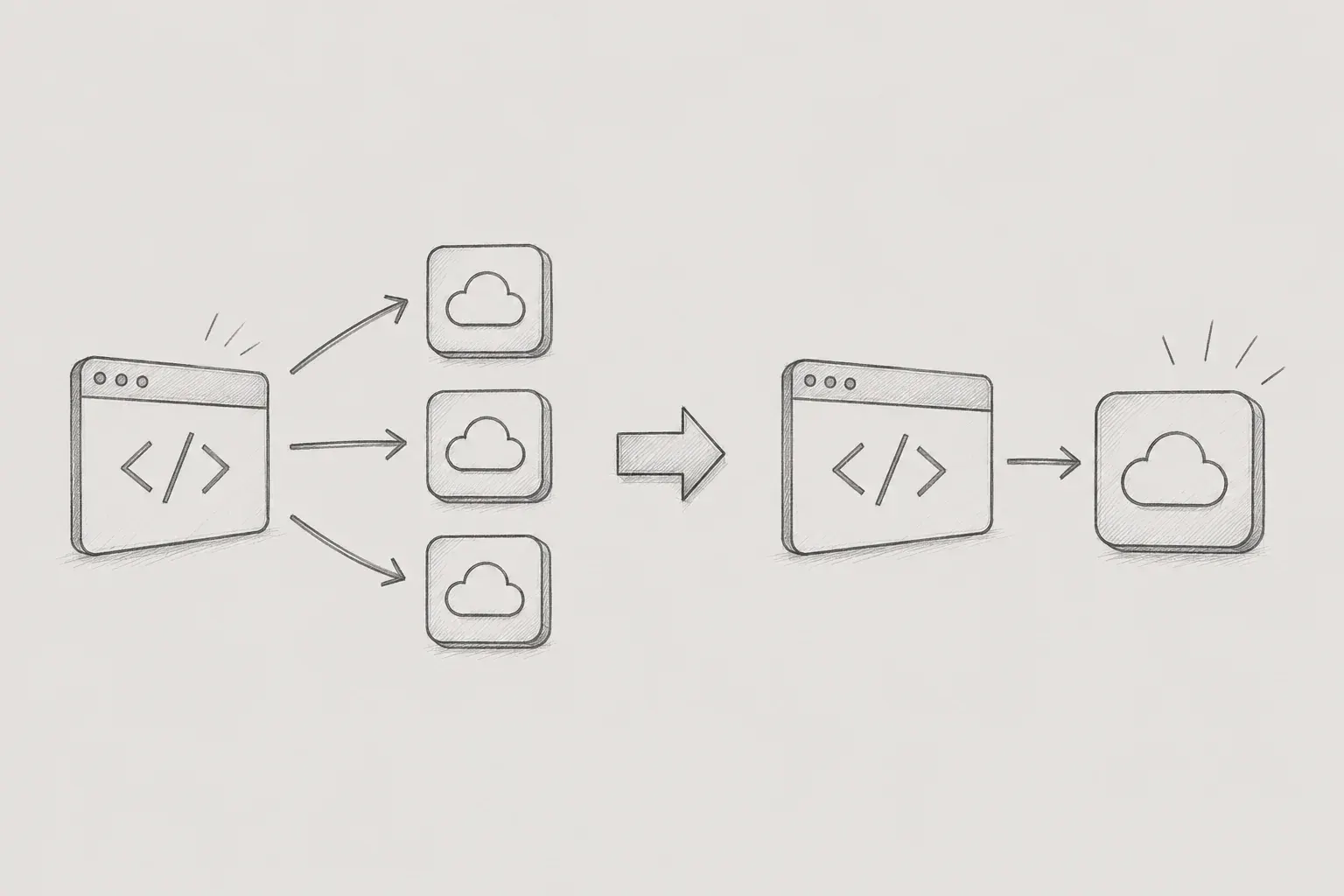
As the project size increases, it becomes more important to manage state and handle asynchronous requests efficiently than simply implementing features. Particularly in React-based applications, multiple components share the same data and make API calls based on various state changes, which can lead to unexpected duplicate request issues as this structure becomes more complex.
In this project, we adopted a structure to store user information, permission information, and accessible work data in the global Context after login, which is commonly used across multiple screens. Initially, it seemed to function correctly, but as features were continuously added, the same API was called multiple times, or the response of a previous request overwrote the latest data.
At first, I thought it was a server response speed issue. However, upon analyzing the actual causes, I found that there were problems with the frontend internal state management structure and the asynchronous handling method.
In this article, I would like to share the background of the occurrence of duplicate API requests, the process of analyzing the causes, and the experience of solving the problem using AbortController and request identifiers (runId).
1. Problem Situation
The project involved a process of retrieving user-related data after login.
During the initial loading, we were also retrieving the following data.
1. User basic information
2. User permission information
3. Work information accessible to the user
4. Project-related information
The retrieved information was stored in the global Context and used commonly across multiple screens.
The overall flow was as follows.
Login Complete -> User Information Query -> Permission Information Query -> Project Information Query -> Save Context -> Screen Rendering
Initially, there seemed to be no issues.
However, as the project grew, the amount of data stored in Context increased, and the number of components using it also grew.
In particular, an occurrence of the same query logic being repeatedly executed happened during the changes in authentication status, permission status, and Context state.
For example, after the user logs in, the following flow may occur.
Authentication Status Change -> User Information Query -> Context Update -> Context Subscription Component Re-rendering -> Additional Query Execution
In fact, when checking the Network tab, the same API was being called multiple times in a short period.
It was not significantly felt in the development environment, but it was a structure that could cause increased server load and waste of network resources in the production environment.
2. Cause Analysis
To solve the problem, the first step was to trace the request flow.
The analysis using React DevTools and the Network tab revealed that the problem was within the frontend.
The issue was due to complex dependencies between states.
Authentication State Change -> User Information Fetch -> Context storage -> Context value Change -> Consumer re-rendering -> Other useEffect execution -> Add API call
One state change can trigger another state change, resulting in multiple useEffects being executed in a chain.
The issue was that this flow became increasingly complex as the project scale grew.
In fact, we could observe that the same API was called multiple times with very slight differences.
This made us realize once again that simply getting a function to work is a completely different issue from getting it to work efficiently in a real operational environment.
3. Initial Review: Possibility of Applying Debounce
After identifying the duplicate call issue, the first method we reviewed was Debounce.
Debounce is a technique that executes a function only if no additional events occur within a certain time period.
It is commonly used for optimizing search boxes.
const debouncedValue = useDebounce(value, 300); Initially, we considered implementing a solution where the API would be called after waiting a certain period even when a state change occurred.
In practice, Debounce is a very effective method in situations where user input events occur repeatedly.
However, the issue this time was occurring during the context initialization process and the authentication status change process, rather than input events.
In other words, we determined that safely canceling already running requests is more important than simply delaying the request count.
As a result, we decided to implement AbortController.
4. Applying AbortController
AbortController is a browser API that allows you to cancel ongoing requests.
AbortController provides a signal object to carry out asynchronous operations,
Calling controller.abort() immediately cancels all requests that detect the corresponding signal.
By passing the same signal to multiple requests, you can cancel several requests simultaneously.
We implemented it such that when a new request occurs using AbortController, the existing request is canceled.
const controllerRef = useRef<AbortController | null>( null );

useEffect(()=>{
 	. . .
	controllerRef.current?.abort();
	const controller = new AbortController();
	controllerRef.current = controller;
	. . .
	// 언마운트/재실행 시 abort
	return () => {
		controller.abort();
	};
},[ctxData, auth])
When making the actual API request, the signal was passed along.
const response =   await axios.get(url, {  signal:
controller.signal, });
The advantage of this approach is that it allows us to immediately halt requests that are no longer needed.
For instance, if the user rapidly navigates the screen or the state changes continuously, previous requests become effectively meaningless.
After applying AbortController, we were able to eliminate these unnecessary requests and also achieved a reduction in network usage.
5. Problems that could not be resolved only with AbortController
After applying AbortController, most of the duplicate request issues were resolved.
However, during the testing process, we discovered another problem.
Let me give an example of a situation like the following.
Request Execute A -> Request Execute B -> Request B Complete -> Latest Data Display -> Request A complete -> previous data display
The user may think they cancelled request A, but there can actually be instances where the response return point overlaps with the cancellation point.
In this case, the old response can overwrite the latest state.
This is a common Race Condition issue that occurs during asynchronous processing.
The AbortController alone could not completely prevent such situations.
Therefore, it was deemed necessary to have additional safeguards.
6. Request Identifier (runId) Management
To resolve the Race Condition issue, we also managed the request identifier (runId).
Every time a new request is made, the number is incremented, and during response processing, it was implemented to verify that the current request is the most recent one.
const runIdRef = useRef(0);
//요청이 바뀔 때 마다 번호 증가
const currentRunId =   ++runIdRef.current;
Before processing the response, we checked as follows.
if ( currentRunId !== runIdRef.current ) {
	//최신 요청이 아닐 시 return
         return;
    }
The flow of operations is as follows.
Request A runId = 1 -> Request B runId = 2 -> Request A Response 1 !== 2 Ignore -> Request B Response 2 === 2 Reflect
Through this, we were able to ignore all responses of old requests and only reflect the last request on the screen.
Personally, the most meaningful part of this work was this process.
Initially, the goal was to reduce the number of API calls, but in reality, managing which responses to trust became a more important issue.
7. Parallel processing using Promise.all
Additionally, the API call structure was improved.
Initially, requests were being processed sequentially as follows.
const userInfo = await findUserInfo();
const projectInfo = await findProjectInfo();
In this case, the first request must be completed before the second request starts.
If each takes 500ms, a total of more than 1 second is needed.
However, the two APIs were not dependent on each other.
Therefore, we changed it to handle them in parallel utilizing Promise.all.
const [ userInfo, projectInfo ] = await Promise.all([
                                    findUserInfo(),
                                    findProjectInfo(),
                                 ]);
This helped reduce the overall initial loading time, providing users with a faster screen entry experience.
8. Improvement Results
After the improvements, we re-analyzed the request flow.
Previously, the same API was frequently called repeatedly, but after the improvement, most of the time only one request occurred.
Also, the phenomenon where previous responses overwrite the latest data and the screen flashing multiple times did not occur.
The summary of the improvement effects is as follows.
- Reduction in duplicate calls of the same API
- Decrease in network usage
- Reduction in unnecessary server requests
- Resolution of Race Condition issues
- Improvement in initial loading speed
- Improved data consistency
- Improved maintainability
I believe the biggest achievement is that we were able to eliminate data inconsistency issues that could occur especially in the operational environment in advance.
9. Retrospective
During this work, I realized once again that simply having the features work correctly and having them work efficiently are two completely different issues.
At first, I thought there were no major problems because the user information was being retrieved correctly and displayed on the screen.
However, as the project scale increased and state management became more complex, issues arose where the same API was called repeatedly or old responses overwrote the latest data, and in the process of analyzing this, I gained a deeper understanding of React's rendering structure and asynchronous processing.
In particular, this work taught me that managing the lifecycle of requests is more important than simply reducing the number of API calls.
By utilizing AbortController to cancel unnecessary requests and implementing the latest requests to reflect only via the request identifier (runId), I was able to establish a stable data processing structure.
Additionally, in the process of solving problems, I felt that issues such as duplicate requests or race conditions, which I usually did not consciously consider, could lead to performance degradation and data inconsistency in the actual service environment.
Through this experience, I reconfirmed that state management and asynchronous processing in React applications are not merely implementation areas, but are crucial factors directly related to service quality. In the future, I will continue to think and learn in order to develop a more stable and efficient service by considering not only feature implementation but also request flows and state changes together.
[Reference]
https://developer.mozilla.org/ko/docs/Web/API/AbortController
https://okayoon.tistory.com/entry/AbortController#google_vignette
Kancho