
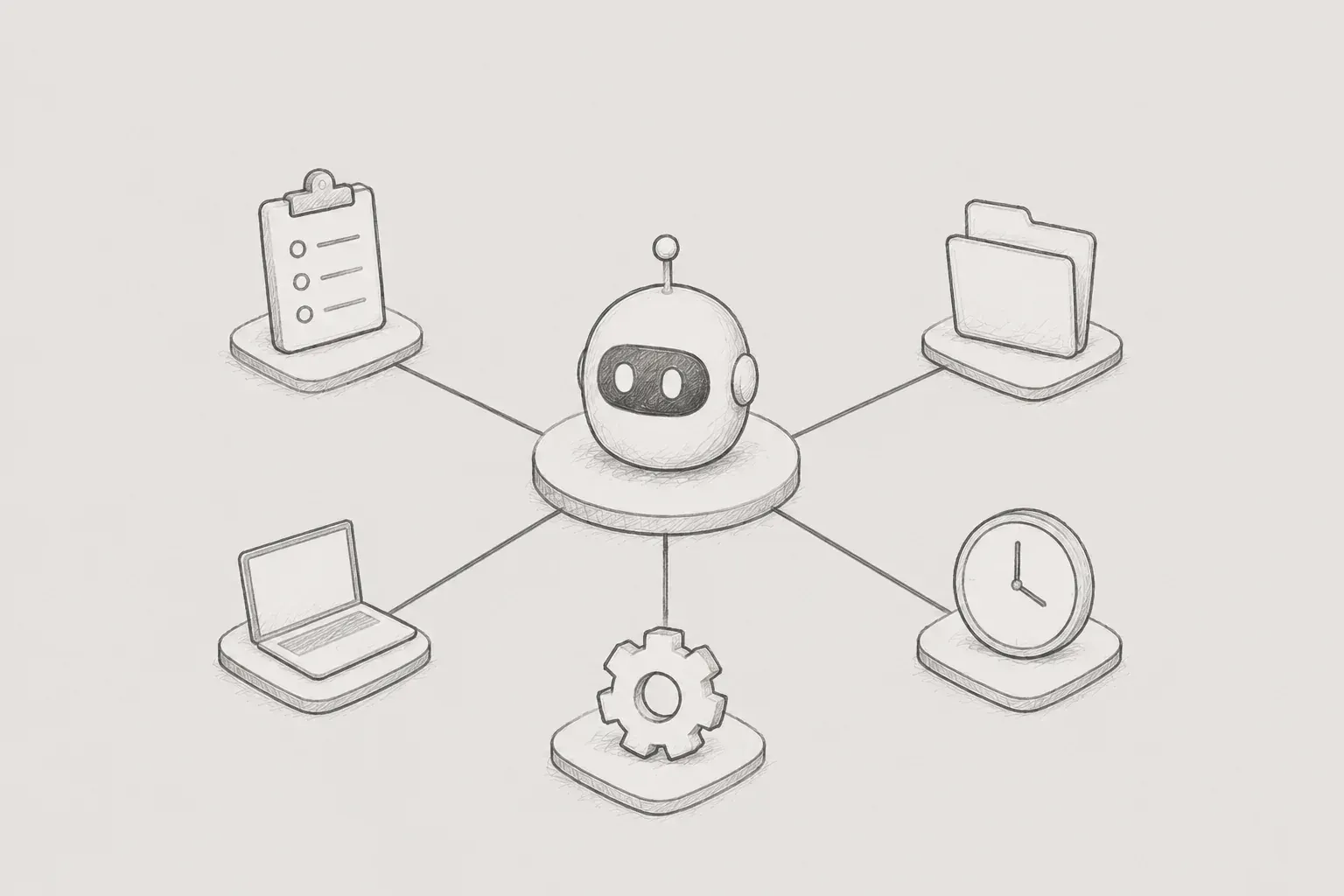
- Task/Plan Harness Application -
1. Introduction
The use of LLM-based coding tools in recent development tasks is increasing. I also started using Codex to improve productivity in project work. Initially, I used it in a conventional way: describing the necessary tasks in prompts, reviewing the results produced by the LLM, and then requesting further improvements for any shortcomings. This method was sufficiently effective for simple modifications or repetitive tasks.
However, as the scale of the tasks increased, the simple prompt-based approach had its limitations. Even with longer prompts, the LLM struggled to manage the entire work reliably, and as the work duration lengthened, there were instances of missing previously agreed-upon points or intentions from earlier changes. At first, I thought the problem could be solved by writing more detailed prompts. However, the real issue was more about the lack of a management structure for the tasks, rather than the prompts themselves.
In this article, I summarize the issues I encountered in LLM-based development tasks and the process of applying Task/Plan Harness to resolve them. Rather than just explaining the concept of harness, I focused on why I felt it was necessary, what rules I created, and how the actual workflow changed.
2. Problems Encountered When Working Solely with Prompts
When I first used Codex, I tried to handle as much as possible within a single session. For example, if I needed to implement a feature, I would describe the requirements in detail, ask it to find related files, and go through implementation to testing in one go. This was fine for short tasks, but as the tasks extended, the context piling up within the session became excessive.
The first problem I noticed was the context window. The larger the workload and the longer it took, the more likely the LLM would forget previous information or write code in a direction different from what had been previously established. It wasn't just a matter of forgetting; the quality of the code was also affected. Issues arose where what was initially understood relatively accurately devolved into vague estimations or changes to already determined content.
In this situation, resetting the session to clear the context window incurred additional costs. In a new session, I had to explain again what I had done, which files I had modified, and what decisions I had made. If I shortened my explanations, the LLM would misunderstand, and if I elaborated, the context would fill up quickly again. Ultimately, I used the tool to speed up the work, but at some point, it started taking time to restore the workflow.
The second problem was that the LLM made ambiguous decisions on its own. Development tasks often require user decisions at various points, such as how to handle API contracts, whether to maintain existing structures, whether to create new abstractions, and how far to validate. However, if something was not clearly stated in the prompt, the LLM would make judgments based on its own logic without asking questions and would proceed with the implementation.
The issue was that those judgments did not always align with my intentions. While the generated code appeared plausible on the surface, it sometimes diverged from the project's direction or my intended scope. At that point, I had to revert the already modified code, explain again, and redo the work. There were times when the cost of reverting incorrect work felt greater than the work itself.
3. Reasons for Applying Harness
To solve this problem, I started to apply the concept of harness. Here, the harness is a method where fixed procedures and documents are established to be followed before and after performing tasks, rather than allowing the LLM to freely handle tasks each time. In other words, if the prompt is a single request, the harness is more like a framework that manages the entire task.
The method I applied is the Task/Plan harness. As the name suggests, it organizes work around two documents: TASK.md and PLAN.md. TASK.md records the units and status of the current work, while PLAN.md records the detailed implementation plans, decisions, and validation criteria. When the LLM receives a user's request, it does not implement it immediately; instead, it first breaks the task down into smaller units and prepares a plan.
The core of this method is not to solve large problems all at once. By dividing the work into smaller units like T-01, T-02, and recording the status after completing each task, it allows for the session to be reset to compilejava. Even if the session is initialized, previous task content and the overall plan remain in TASK.md and PLAN.md, allowing the next session to continue from this document.
4. Task/Plan Harness Basic Structure
The file structure of the harness is based on directories for functional tasks. By placing temporary TASK.md and PLAN.md files in the root, it becomes easy for various tasks to mix, so a structure that distinguishes active and completed tasks by function has been used.
.codex/tasks/active/<feature-slug>/TASK.md
.codex/tasks/active/<feature-slug>/PLAN.md

.codex/tasks/completed/<feature-slug>/TASK.md
.codex/tasks/completed/<feature-slug>/PLAN.md
TASK.md is closer to a task status board. It should allow for a quick check of what tasks are currently in progress, which tasks are completed, and what needs to be done next. Conversely, PLAN.md is closer to a detailed plan. It includes the scope of work, scope exclusions, decisions made, implementation methods, verification methods, and status logs.
# <Feature Name> Tasks

## Status
- Last updated: <YYYY-MM-DD>
- Current task: T-01

## Tasks
- [x] T-00. Create task baseline documents
  - Plan reference: PLAN.md 0, 1, 3
  - Status: Completed
  - Clear after completion: Not required

- [ ] T-01. Implement first scoped change
  - Plan reference: PLAN.md 2
  - Status: Pending
  - Clear after completion: Required
Initially, dividing tasks into documents may feel cumbersome. However, once you actually use them, these documents serve as a link between sessions. If there are aspects that the LLM does not remember in the current session, it can read the document again and continue. It also has the advantage of allowing a human to quickly grasp the current position.
5. Context Window Problem Solving
The first problem I wanted to solve was the context window. In the previous method, I tried to analyze, implement, modify, and verify all in one session. This method is fast at first, but as time goes on, the context becomes convoluted and the quality of the LLM's responses deteriorates.
In the Task/Plan harness, this issue was resolved by separating tasks. When the LLM receives a request, it first divides the whole task into smaller Tasks. Each Task is sized to be understood and processed in one session. For example, changes to the backend contract, modifications to frontend call points, and testing and build verification can each become separate Tasks.
Once a Task is completed, TASK.md and PLAN.md are updated without fail. Moreover, before moving on to the next task, the session is reset. The crucial point here is not simply to end the session but to document the current state before breaking away. This way, when a new session begins, there is no need to re-explain previous work.
T-01 완료 후 기록 예시

TASK.md
- [x] T-01. Update backend command contract
  - Status: Completed
  - Clear after completion: Required
  - Result: Command 필드 구조를 변경하고 관련 Flow 호출부를 수정했습니다.

PLAN.md State Log
| Task | Status | Last result | Next start |
| T-01 | Completed | 백엔드 계약 변경 완료, compileJava 통과 | T-02 프론트엔드 호출부 수정 |
By keeping a record like this, in the new session, one can first check the Current task in TASK.md and, if necessary, only refer to the relevant section in PLAN.md. Previously, I had to rewrite long explanations, but now the document takes on that role. As a result, even frequently resetting the session did not interrupt the workflow.
Additionally, when trying to solve a large problem all at once, the quality of the LLM's responses was more stable when solving smaller problems one at a time. The LLM produced better results in clearly scoped tasks with definitive completion criteria than when handling a broad range all at once. This was the most perceptible change during practical application.
6. Rule of Not Implementing Undecided Matters
After addressing the context problem to some extent, another issue emerged. It was the problem of the LLM deciding on ambiguous content on its own. In particular, there were cases where the LLM proceeded without asking about aspects that definitely needed human decisions. This issue was more dangerous than simple coding errors since it could lead to discovering problems only after modifying many files based on an incorrect direction.
To resolve this, I established a Decisions Required section in PLAN.md. Before implementation, I identified items that required decisions, and created a rule that if even one item remains Open, work should not commence. Since applying this rule, the LLM no longer handles ambiguous aspects arbitrarily and waits for my decision after organizing options and pros and cons.
## 1. Decisions Required

| ID | Decision Needed | Options / Notes | Status | Decision |
| --- | --- | --- | --- | --- |
| D-01 | API 응답을 기존 DTO에 추가할지, 별도 DTO를 만들지 결정 필요 | 기존 DTO 확장: 변경 범위 작음 / 별도 DTO: 역할 분리 명확 | Open | |

규칙:
- Status가 Open인 결정이 하나라도 있으면 구현을 시작하지 않습니다.
- 사용자가 선택하면 Status를 Decided로 변경하고 Decision에 근거를 기록합니다.
This approach turned out to be more effective than expected. Previously, the LLM proceeded by estimating aspects I hadn't written in the prompt. Now, rather, the LLM first brings to my attention the decisions I might have missed. For example, it suggests options like whether to reuse existing fields, add new fields, or place the verification location on the backend or the frontend.
This process did not simply control the LLM. It also helped me review my instructions. I often feel that I have thought through all the decisions when requesting tasks, but in reality, there are often missing parts. The decision list in PLAN.md became a device to reveal such gaps. If a question is posed before implementation, I can pause to reconfirm the direction, reducing the costs of correcting incorrect implementations.
7. Defining Scope and Out-of-scope
One common issue when using LLMs is the tendency to introduce unsolicited improvements. This includes organizing the style of surrounding code, modifying seemingly relevant structures, or creating abstractions with future extensibility in mind. While these suggestions can be helpful, in practice, as the scope of change increases, so does the burden of review and the risk of regression.
Therefore, we have stipulated in the Working Rules of PLAN.md that we must specify Scope and Out-of-scope. This means dividing areas that can be modified from those that cannot be modified in this task. For instance, if the task involves modifying a specific API contract, we limit the Scope to that specific Command, Flow, Resource, and calling part, while unrelated refactoring or direct modification of generated code is recorded as Out-of-scope.
## 0. Working Rules

- Scope is limited to **************Command, *************Cdo, Flow/Resource wiring, and directly affected frontend call sites.
- Out-of-scope files/modules: unrelated track pattern behavior, generated target project files, unrelated UI restyling.
- Verification rule: run focused backend compile and affected frontend build when possible.
- Do not start implementation while any item in Decisions Required is Open.
With this rule in place, even if the LLM discovers good improvement ideas during its work, it does not apply them immediately. If necessary, it separates them into a separate Task or confirms with the user. This has helped prevent a single task from unnecessarily ballooning. Especially in collaborative code, where small units of change are important, this rule has been helpful in maintaining reviewable changes.
8. The benefit of establishing validation criteria first
LLMs can quickly assist with code generation, but whether the generated code is actually safe is a separate issue. Therefore, we included a Verification rule in PLAN.md. It involves deciding in advance how to confirm whether the task is complete before starting the work.
For example, if it involves backend modifications, we would run compileJava or tests on the relevant modules, and if it involves frontend modifications, we would execute builds or type checks for that package. If we cannot perform validation due to environmental issues, we record the reason for not being able to execute it and what we confirmed instead. The important thing is not to leave the completion judgment to the LLM's intuition.
Verification or completion:
- Run .\gradlew.bat :drama-feature:compileJava :drama-facade:compileJava
- Search for stale **********Cdo.get**********Id() references
- If verification is blocked, record the blocker and the smallest successful check
Having these criteria also makes it easier to review the task results. It is not just simply stating 'I fixed it,' but also indicating what validations were done alongside. In actual work, checks like whether the build passed, whether a specific reference is no longer present, or if the generated result is coming out with the intended name were important. By establishing validation criteria first, the LLM has also been able to determine the end point of the task more clearly.
9. Changes in actual workflow
Before applying Hannes, the workflow was relatively simple. I would describe the functionality in the prompt, the LLM would implement it, and I would review the results. If there were issues, I would request again. This method allows for a quick start, but the more complex the work became, the more iterative revisions were involved.
After applying Hannes, the workflow changed. First, we clarify the task goals and scope. Then, the LLM writes TASK.md and PLAN.md. If there are decisions to be made in PLAN.md, it stops implementation and I make the choices. Once all decisions are organized, we execute only one Task. After the Task is completed, we record the results and validation content, and if necessary, reset the session before moving on to the next Task.
작업 흐름

1. 사용자 요청 입력
2. LLM이 작업 목표, 범위, 제외 범위, 검증 기준 정리
3. TASK.md / PLAN.md 생성
4. Decisions Required 확인
5. Open 결정이 있으면 구현 중단 후 사용자 결정 대기
6. 하나의 Task만 구현
7. 검증 실행 및 결과 기록
8. 세션 초기화 후 다음 Task 진행
This flow may seem slower at first, but often the overall work time actually decreases. There were fewer instances of implementing in the wrong direction and needing to backtrack, and the problems of session length resulting in reduced quality also decreased. Above all, since the work status is documented, it is easier to resume after pausing or switching to another task.
10. Advantages felt while applying
The first advantage is that context management has become easier. Since it is no longer necessary to maintain long sessions, we could reduce the degradation of the LLM's quality. Previously, initializing a session felt burdensome, but now that we have TASK.md and PLAN.md, initialization has become a part of the workflow.
The second advantage is that the cost of decision-making has decreased. The LLM does not make arbitrary decisions, but instead lists the items that require decisions first, allowing us to set the direction before implementation. Through this process, I was also able to identify options I hadn't thought of yet.
The third advantage is that the possibility of review has increased. Since the work scope, reasons for decisions, and verification results are documented, it was easier to trace why changes were made when looking at the code later. This record acted like a small design document, especially in tasks where multiple files are modified together.
The fourth advantage is that the role of the LLM has become clearer. Before applying the harness, there were times when the LLM acted like both the implementer and designer. After applying the harness, the LLM assists in implementation within the plan, while the boundaries of the task and decisions are controlled by the developer. This difference was important in practical application.
11. Points to be careful about during application
The Task/Plan harness is not necessary for all tasks. It may be excessive for simple description requests, reading code, and short modifications. The harness was especially effective in tasks that affect the actual repository, such as code changes, configuration changes, test changes, and generation changes.
Additionally, writing documents too detailed increases management costs. It was better to record only the short status of tasks in TASK.md and keep detailed content in PLAN.md. If TASK.md becomes too long, it becomes difficult to quickly grasp the current task. Conversely, if PLAN.md is too short, it's hard to restore the basis for judgment in the next session.
Finally, having a harness does not eliminate the need for reviews. The LLM can still produce incorrect code, and even if the verification command passes, it may not fully meet the requirements. It's correct to see the harness not as a device to trust the LLM instead of developers, but as a control device for developers to use the LLM more safely.
12. Conclusion
Through this experience, I felt that simply writing prompts well is not enough to effectively utilize the LLM. A prompt is a means to deliver instantaneous requests, while the Task/Plan harness is a structure that manages the entire task. In practice, a sustainable task structure is more important than one-time requests.
After applying the Task/Plan harness, the decline in quality due to the context window problem decreased, and it was easier to continue tasks even after session initialization. Additionally, thanks to the rule of first identifying undecided matters and stopping implementation, the problem of the LLM arbitrarily determining the direction also reduced.
As a result, the LLM has become a tool that enhances productivity within a clear task structure rather than just a tool that writes code faster. However, this effect is more pronounced when the developer clearly sets task boundaries, decision criteria, and verification standards, rather than leaving everything to the LLM. I believe that in the future, when applying the LLM in practice, we should focus more on how to divide, document, and verify tasks.
DEVKC