

The Reflection of a Lazy Backend Developer
Dynamic CMS Design
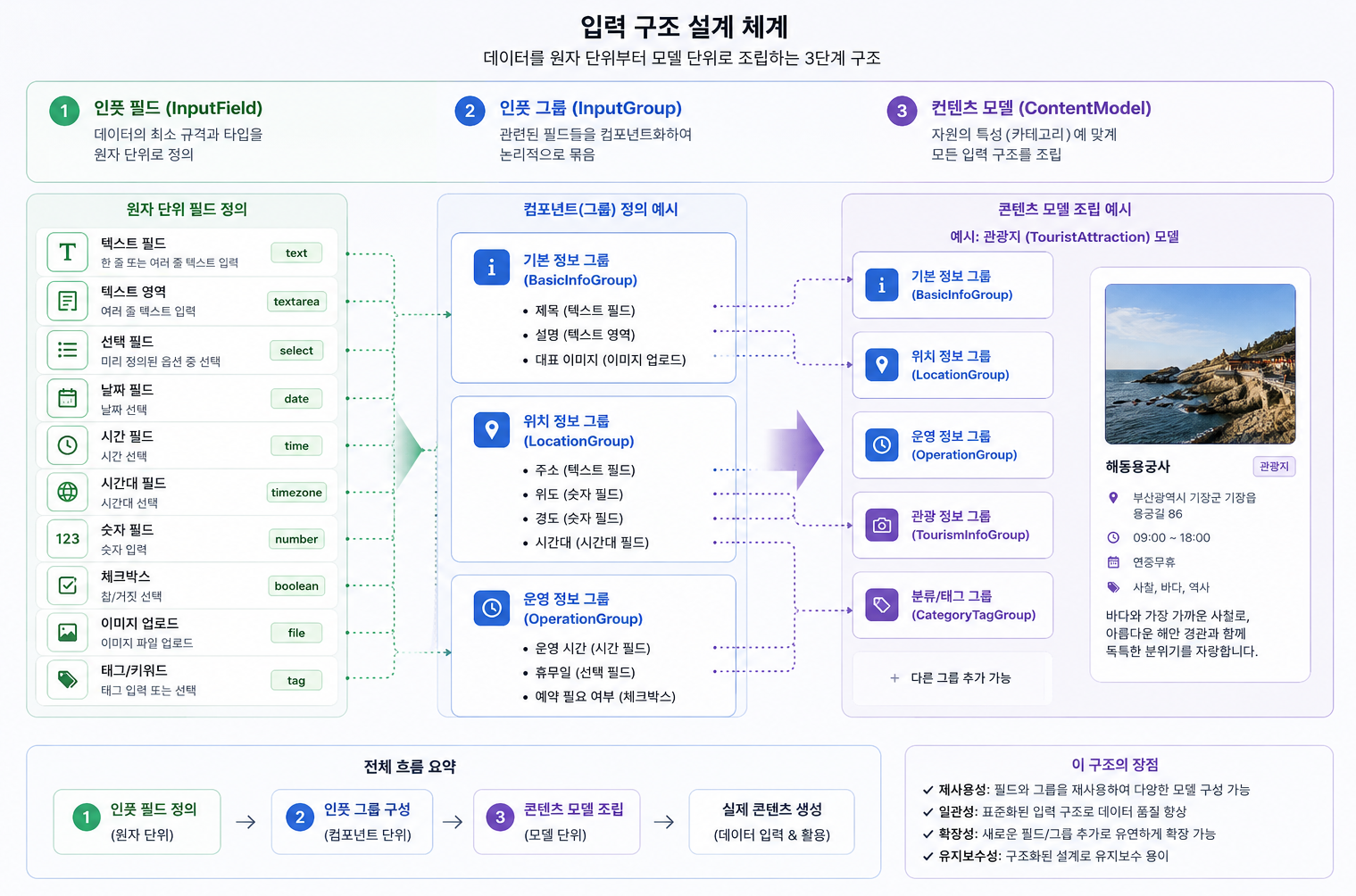
In January 2026, the project I joined after returning to headquarters was the 'Tourism Content Management System (Pinlime).' We were in the process of reworking it on a modern architecture based on a project that had been applied in the past to a company. To manage numerous tourism resources in an organized manner, we were designing a flexible JSON structure for storage and a form that could freely modify the UI.
Dynamic CMS Design
The system was textbook-like in rendering input forms in real time, allowing fields such as entry points or closure periods for natural landscapes like 'Seoraksan', holiday closures and operating hours for 'museums', and break times and vegan menu options for 'restaurants', making it easy to modify the structure even if the data structure changes later. It was a design that received good scores in analysis through AI without major embellishments.
Difficult to use system
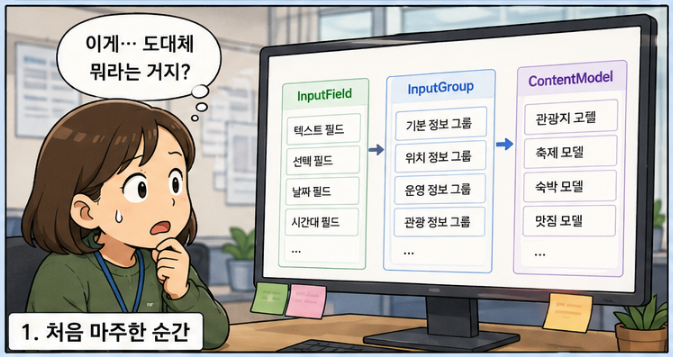
As a developer, this structure was undoubtedly flexible and appealing. However, as I defined input fields to enter tourist destination data, gathered the input fields to define an input group, and defined content models suitable for specific types of tourist destination categories to map to the tourist destinations and input the tourist destination data, doubts began to arise.
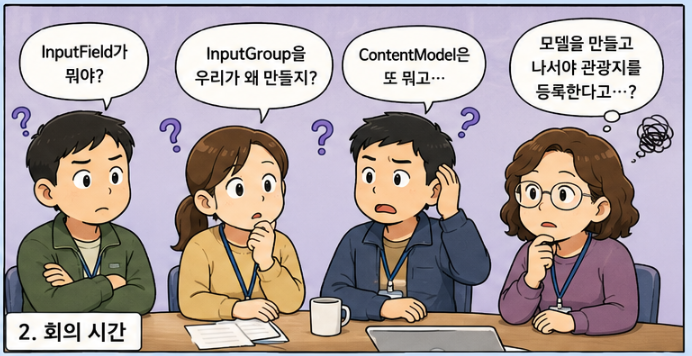
Having designed this system myself, I was aware of the flow of creating input fields, groups, models, and entering tourist data, yet I soon became fatigued by the numerous repetitive tasks and the effort of finding appropriate fields to define the model. If I was exhausted like this after creating the system, I couldn't help but wonder whether the field staff who are unfamiliar with the system could use it effectively.

Easily anticipated site conditions
AI - Meeting with LLM
At this point, I didn't know how to use Claude Code or Codex that everyone else was using, and I was only at the level of asking questions and reviewing knowledge about code or design on LLM websites. In short, I was an AI novice. When I thought of an AI engineer, I imagined someone who creates and trains models to make products like AlphaGo, and I was living with that misconception. Therefore, the only thing I could think of to make this system easy to use in the field was to improve the user interface.
In the meantime, it has been decided to add the 'AI Travel Writer' feature to Pinlime. This feature is being worked on by the Lakey team, and I will be involved in connecting the data pipeline between Pinlime and Lakey. My job was to pass data to the Lakey team and transfer the generated data to the screen, but out of a bit of curiosity and to configure an easy-to-use interface, I decided to take a closer look.
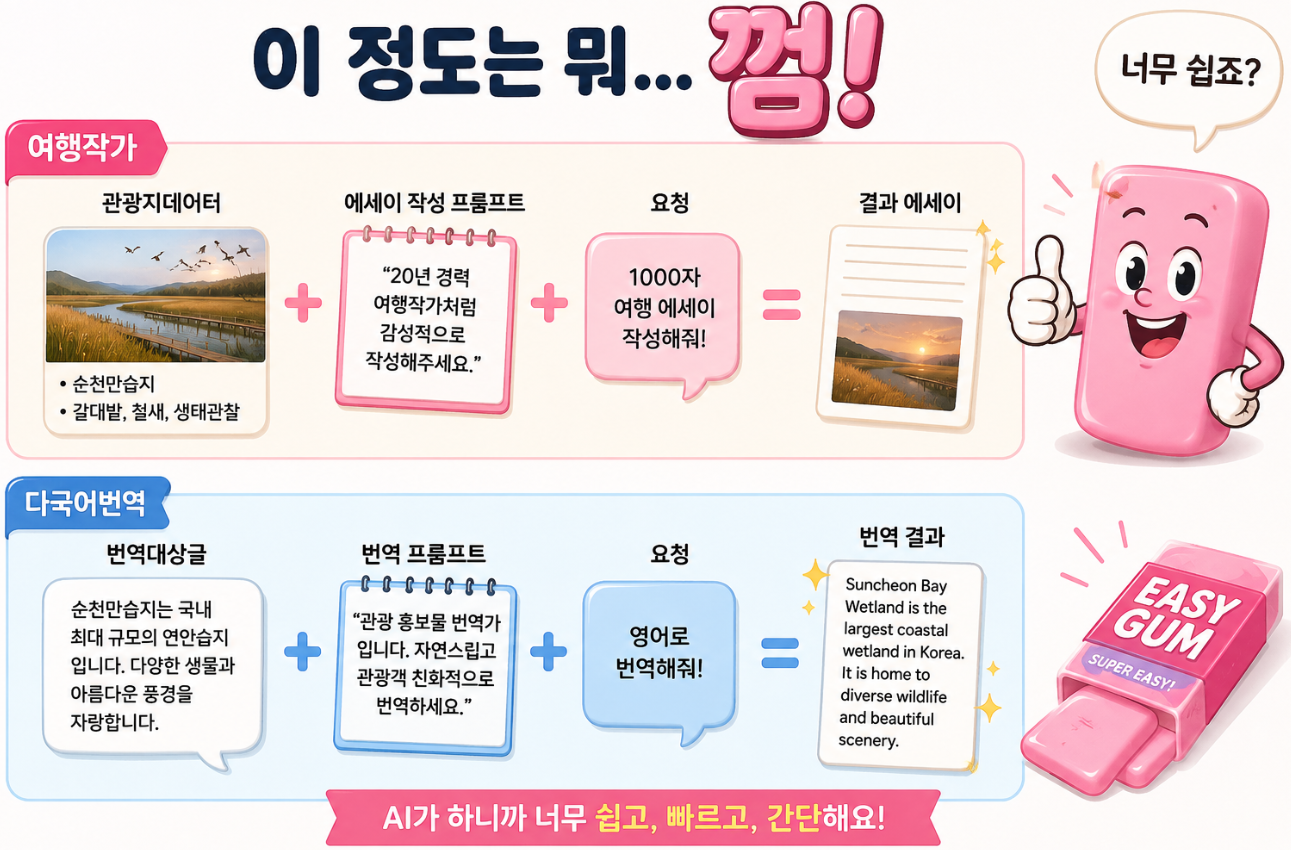
Using AI in system building turned out to be a surprisingly simple task. It was not far from the level of asking questions to the LLM on the Gemini website. In fact, many AI functions are"Prompt creation -> LLM call -> Show result"It is being done at the level.
-
Travel Writer: Tourist Destination Data + Essay Writing Prompt + Request = Resulting Essay
-
Multilingual Translation: Source Text + Translation Prompt + Request = Translation Result
AI Application Difficulty
Once I delved into using LLMs, I realized that creating JSON results from introduction texts of tourist sites was quite simple. The content model already defines the information we need to extract in detail, so rather than having a person input data into forms one by one, I witnessed that by simply dropping the tourist site text into the text input field, the tourist data was accurately filled into the input form in just a few seconds.
Once I learned how to utilize AI, or rather LLMs, I reached a stage of conceiving many more ideas. The content model can have specific fields added or removed as needed. When these changes occur, the content created from older versions must understand the old model structure to display data, which is why we managed it under the names revision or snapshot. Before applying LLMs, showing old versions as they were and new versions as they were was all we could do, but with LLMs, it is expected that converting old version data to new version data will not be a difficult task.
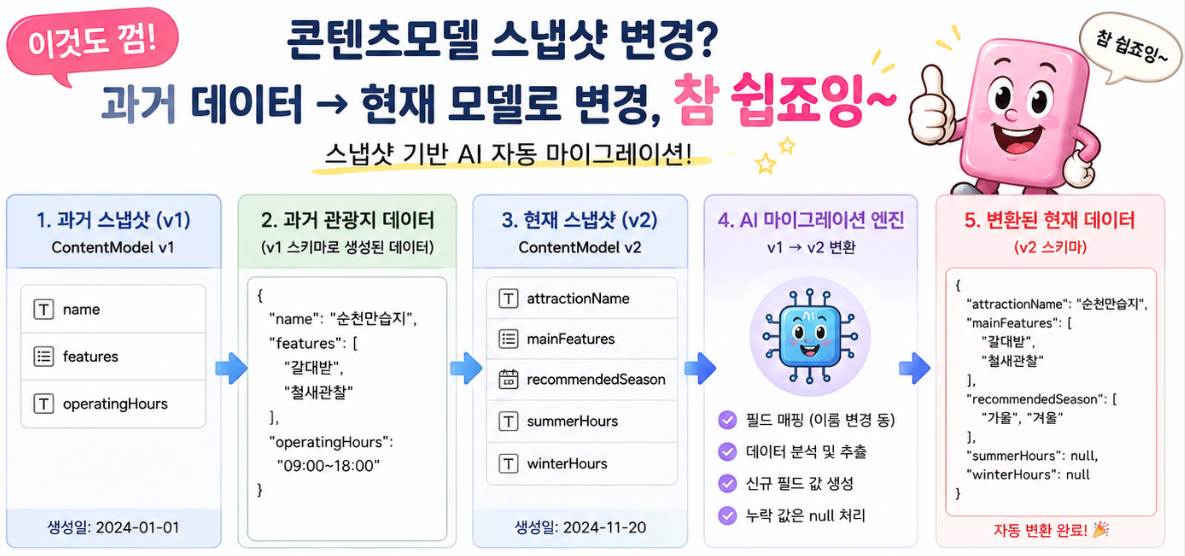
A little more effort still makes content migration easier
Switching to AI-Native development methods
Of course, it’s not as easy to develop applications using LLMs/LMMs as the given examples might suggest. While traditional programming is “Input -> Rules -> Fixed Output,” development with LLMs/LMMs is “Input -> Probabilistic Inference -> Variable Output,” which means that finalizing the results could lead to many problems. There are numerous different considerations to address, such as hallucination control, structuring output formats, prompt security and blocking malicious inputs, preventing sensitive information leaks, and controlling token costs that differ from traditional programming.
Nevertheless, the reason it's clear that we need to transition from traditional software development to LLM/LMM-based development methods is that LLMs/LMMs can provide overwhelming efficiency in areas where solving problems through existing methods requires significant cost and time, or are simply hard to implement, even if they don’t yield 100% accurate results.
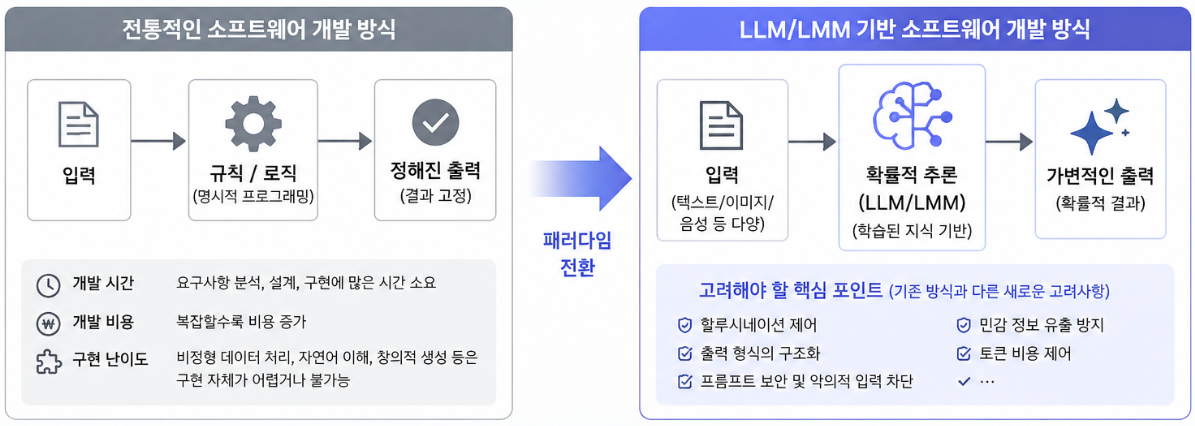

Perhaps I am at the Hello World stage of AI-Native software development. It is somewhat embarrassing to leave such a note with knowledge sufficient to just make a Hello World. Calling the LLM/LMM API is easy, but properly handling prompts and perfectly controlling them using traditional software engineering techniques is a problem of another dimension. Even if AI operates on probabilities, the 'product' we create must always work reliably within predictable limits. That’s how users can use it with peace of mind. I believe handling this properly is our role as developers in the AI era.
zacca