
1. Introduction
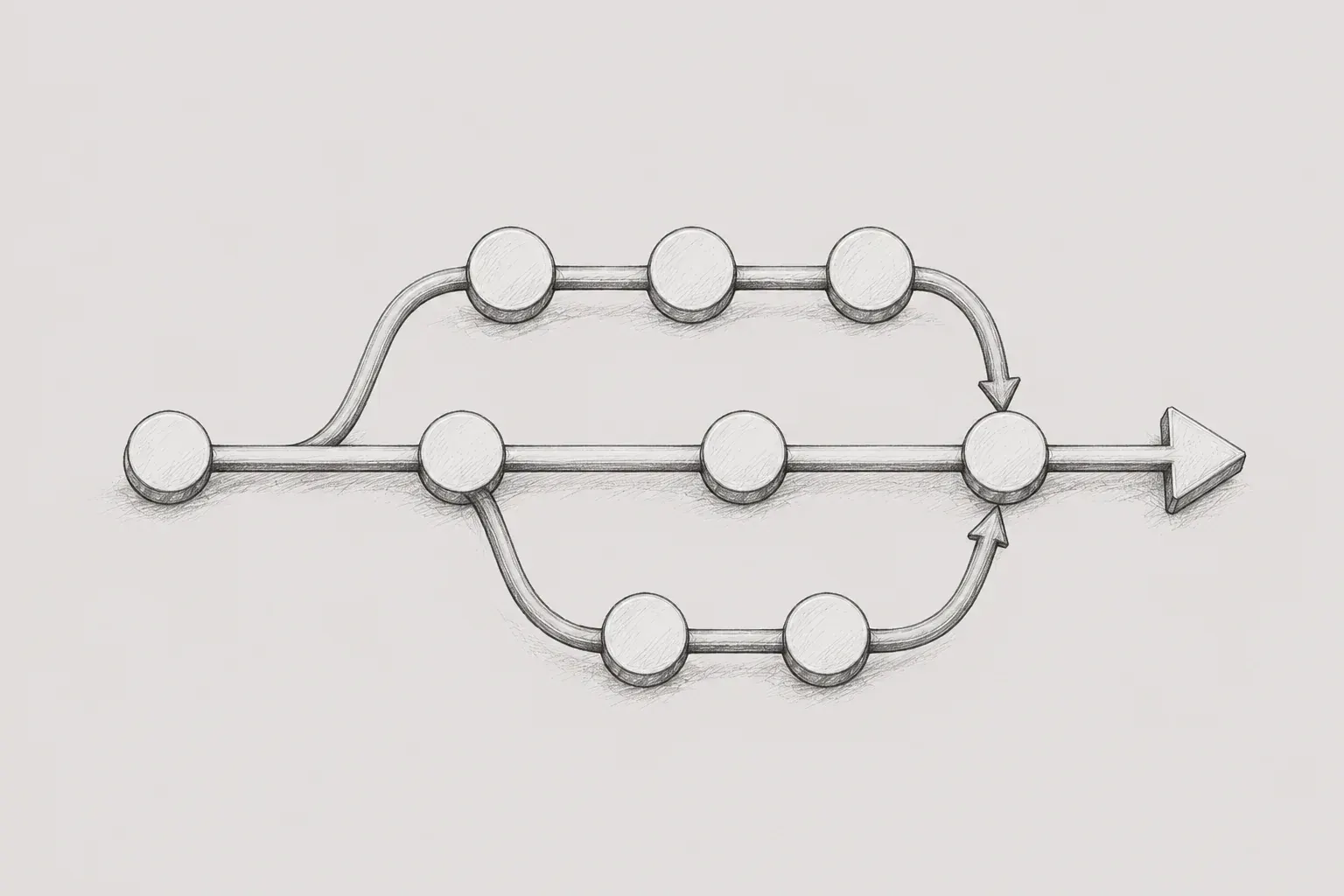
It's easy to think of Git branches as just a "tool for dividing features," but in actual work, branch strategy is directly connected to collaboration methods, development environment deployment and testing, QA validation, operational deployment, and hotfix responses. In environments where multiple people are developing simultaneously and must deploy according to a set schedule, the branch strategy especially becomes the way the team works, beyond just simple Git usage.
At first, I tried to understand the practical branch structure based on well-known strategies like Git Flow and GitHub Flow. However, the branch strategies encountered in actual projects did not perfectly match the textbook definitions. Even with branches like feature, develop, stage, prod, and release, the actual operating methods varied according to deployment cycles, QA methods, team size, CI/CD environments, and approval processes.
In this article, I will briefly summarize representative branch strategies, and then organize the structure of environment branches and release candidate branches experienced in practice. Although I did not design this strategy directly, I have come to understand the advantages and points of caution by experiencing the process of creating feature branches, merging them into development branches for testing, and consolidating features into release candidate branches for operational deployment.
What I felt most strongly from this experience is that rather than the label "does our team use Git Flow or GitHub Flow?", it is much more important whether the roles of each branch are clear, whether the merge direction is consistent, and whether the team members have a shared understanding of the deployment criteria and synchronization processes.
2. Representative Git Branch Strategies
2.1 Git Flow
Git Flow is a release-centered strategy that clearly divides branch roles. The main branch, formerly known as master, manages the release history that can be operationally deployed, while develop acts as the integration branch for the next release. feature/* is used for feature development, release/* is for stabilization and version preparation before deployment, and hotfix/* is for urgent operational fixes.
feature/* -> develop -> release/* -> main
hotfix/*  -> main, develop 또는 현재 release/*
It fits well for projects with explicit version releases, need for separate stabilization and validation phases before releases, or those that need to maintain multiple versions. However, with many branches and set merge directions, sharing rules within the team, branch protection, and automation become important. It should be assessed first whether it aligns with the release method and team size before applying it as a default to all projects.
2.2 GitHub Flow
GitHub Flow is a simple strategy centered around the main branch. Feature development occurs in short feature branches, which are reviewed and tested through Pull Requests before being merged into main. The key point is that the code going into main must always be in a deployable state.
feature/* -> Pull Request / CI / review -> main -> deployIn practice, some teams automatically deploy immediately after merging into main, while others go through manual approvals or staged deployments. Thus, it's more accurate to understand it as "code merged into main must always be deployable" rather than "always immediately deploy upon merging into main."
It fits well for simple and PR-centric collaboration, but features that should not yet be exposed to users need to be controlled through methods like feature flags, permission controls, configuration values, and staged rollouts. Since a broken main can block the entire deployment flow, automated testing and branch protection rules are also crucial.
2.3 GitLab Flow
GitLab Flow is based on the simple feature branch of GitHub Flow merging into main through Merge Requests and expresses the operational flow by combining production branches, staging branches, release branches, tags, and CI/CD environments according to the project's deployment method.
예시 1: feature/* -> main -> staging -> production
예시 2: feature/* -> main -> release/x.y -> production deploy
It can express deployment and validation stages more clearly than GitHub Flow while being simpler than Git Flow. It is useful for projects where validation stages by environment, like QA, staging, UAT, and production, are important.
However, this does not mean that GitLab Flow always must have a staging or production branch. The environment feature of GitLab CI/CD can manage QA, staging, and production environments alone, and one can also choose release branches or tag-based deployments. In other words, environment branches are one of the typical forms of GitLab Flow but are not a mandatory condition.
2.4 Trunk-Based Development
Trunk-Based Development is a strategy that frequently integrates changes into a single central branch, usually main or trunk. It does not imply that no branches are used at all; rather, the core idea is to avoid long-lived branches and quickly integrate small changes through short-lived branches or direct commits.
main 또는 trunk
└─ short-lived branch -> main 또는 trunk
Since the trunk must always be in a buildable and deployable state, fast CI, automated testing, small work units, and quick code reviews are important. Instead of hiding large features for a long time, it manages unfinished features so they are not exposed to users by using feature flags, branch by abstraction, and configuration control.
It suits organizations with well-established CI/CD and reliable automated testing. Conversely, in organizations where testing is slow or there is a high dependence on manual verification and feature branches are maintained for a long time, it is difficult to keep the trunk stable.
3. Reasons why established strategies are not applied directly in practice
In actual projects, rather than one strategy being neatly applied, it is often the case that elements of multiple strategies are mixed. Branch strategies are linked not only to the way Git is used but also to the deployment cycle, QA methods, operational failure responses, team size, CI/CD levels, and work approval processes.
For example, having develop, stage, and prod branches does not necessarily mean Git Flow is in use. Just because staging or production branches exist doesn't mean it can always be deemed GitLab Flow. Following a feature branch from main and merging it back again does not automatically imply Trunk-Based Development. Using Pull Requests does not mean it becomes GitHub Flow either. PRs themselves are not a branch strategy, but a collaboration method for code review and merging.
When identifying branch strategies in practice, it was more important to answer the following questions than to focus on the names.
- We need to verify what the reference branch for production deployment is.
- We need to confirm what branches are deployed to development and verification environments respectively.
- We need to determine where feature branches are created and where they are merged first.
- We need to verify how features included in this deployment are selected.
- We need to find out how development/verification branches are synchronized after production deployment.
- You need to check which branch the hotfix starts from and which branch it will revert back to.
When the answers to these questions were clear, team members could operate with the same standards. Conversely, if the branch names are familiar but their actual roles are ambiguous, misunderstandings can arise regarding whether all features entering the development branch are being deployed, whether the validation branch is a candidate for production or just for simple testing.
4. Practical experience: Environment branch and deployment candidate branch structure
In the projects I experienced, there were operational branches, development branches, and validation branches. Since the actual branch names can differ from project to project, I will explain based on roles rather than names in this article.
- The operational branch is the branch that serves as the basis for actual production deployment. It is usually set as a protected branch and direct pushes are restricted.
- The development branch is for deployment and integration testing in a development environment. It does not represent the entire target for production deployment.
- The validation branch is the branch deployed in pre-production environments such as QA, staging, and pre-production before the actual operation.
- The feature branch is for individual tasks. If you consider selective deployment, it also plays a role in safely preserving the work original.
- The deployment candidate branch is a temporary branch that gathers only features going into production for final validation.
The key point is that we created a separate deployment candidate branch before the production deployment, gathering only the features targeted for this deployment. Since not all functionalities entering the development branch were included in this production deployment, we made the deployment candidate branch based on the operational branch and explicitly controlled the scope of deployment.
It is difficult to define this structure strictly as standard Git Flow. There are aspects of GitLab Flow that utilize environment branches, and it also has similarities to Git Flow's release branches, which are stable branches before operation. However, unlike the typical Git Flow where the release branch is derived from develop, this is closer to a practical hybrid structure where the deployment candidate is created based on the operational branch and only selected features are gathered.
4.1 General development flow
Each developer creates a feature branch from the operational branch or the latest standard branch defined by the team, and once development is complete, it is merged into the development branch for testing in the development environment. Here, the standard branch can vary according to team policies. The important thing is that the entire team should be uniformly aware of which branch to start from and which branch to merge into first.
feature/A -> 개발 브랜치 -> 개발계 배포 및 테스트
feature/B -> 개발 브랜치 -> 개발계 배포 및 테스트
feature/C -> 개발 브랜치 -> 개발계 배포 및 테스트
The important point here is that the development branch is not the basis for operational deployment. Not all features in the development branch were included in this operational deployment.
개발 브랜치 = 운영 코드 + feature/A + feature/B + feature/C
이번 배포 대상 = feature/A + feature/B
In such a situation, if the development branch is directly merged into the operation, feature/C will also go along with it. Therefore, the feature branch must be managed not merely as a workspace but as a unit that can select the scope of deployment. If the feature branch original is deleted immediately after merging into the development branch or if the work history is lost, it becomes difficult to gather them again at the time of selective deployment.
4.2 Creating a Release Candidate Branch
As the deployment date approaches, a release candidate branch is created based on the production branch, merging features to be included in this deployment one by one. Depending on the team, some may use merges, while others may selectively choose necessary commits. Regardless of the method used, the key point is that only changes destined for production should be included in the release candidate branch.
개발 중: feature/A, feature/B, feature/C -> 개발 브랜치 -> 개발계 테스트
배포 준비: 운영 브랜치 -> 배포 후보 브랜치 <- feature/A, feature/B
최종 흐름: 충돌 해결 -> 의존성 확인 -> 검증 환경 테스트 -> 운영 PR -> 운영 배포
The core advantage of this structure is that it allows for clear control over the deployment scope. Even if various features are mixed in the development branch, only the features heading to production can be gathered in the release candidate branch.
However, caution is required if there are dependencies between features. For example, if feature/B depends on the code of feature/C internally, it may be impossible or risky to include only B in the release candidate while excluding C. In a structure that requires selective deployment, design must involve separating features independently, verifying dependencies, and implementing a feature flag strategy.
4.3 Integration, Validation, and Production Reflection
The part that required the most attention in the release candidate branch was conflict management and final validation. While the feature branch separates the workspace, it does not eliminate integration costs. If multiple features modify common components, routing files, type definitions, and configuration files simultaneously, conflicts can arise at the point of gathering into the release candidate branch.
Additionally, the combination tested in the development branch may differ from that of the release candidate branch. For example, if the development branch is tested with the combination A+B+C, the production candidate may contain only A+B. Therefore, final validation should be based on the actual release candidate branch heading to production, not the development branch.
Once validation is complete, a Pull Request to merge the release candidate branch into the production branch is created. This PR serves not only as a simple merging process but also as a reference point to verify what is included in this deployment. If the included features, excluded features, conflict resolutions, validation results, deployment configuration changes, and rollback criteria are organized in one place, deployment stability increases.
In summary, the release candidate branch is a 'temporary branch that gathers features to be deployed' and also a 'final validation standard before production deployment.' Therefore, it is safer to allow adequate validation time rather than creating it hastily right before deployment.
4.4 Synchronization and Hotfix After Deployment
After the production deployment is completed, the process of aligning the development branch and verification branch back to the production branch occurred. This is necessary to clarify the reference point immediately after deployment and reduce the issue of accumulating differences between branches. During this time, changes from the production branch can be merged back into the development and verification branches, and, depending on team policy, specific environment branches can also be realigned to the production standard.
However, initializing shared branches with force push or reset methods is dangerous and should only be used exceptionally. This is because it’s not only about aligning remote branches but also about resynchronizing the local branches of team members. What is more important than the command itself is team policies and notices. If the criteria are unclear, removed code during the post-deployment synchronization process may resurface, or conversely, necessary actions may disappear.
The hotfix flow also needs to be defined separately. Operational failures or urgent fixes should be considered separate from the general feature flow, typically by creating a hotfix branch from the production branch and reflecting changes and validations back to the production branch first. Afterward, the same modifications should be reverted to the development branch, verification branch, and ongoing release candidate branch to ensure they are not lost in the next development cycle. It is safer to minimize the scope of hotfixes without mixing refactoring or separate feature changes.
4.5 What Strategy Can This Structure Be Viewed As
The structure I have experienced is difficult to classify strictly as one of pure Git Flow, GitHub Flow, GitLab Flow, or Trunk-Based Development. The separation of the development and production branches resembles Git Flow, while expressing environments as branches, like the verification branch and production branch, is similar to GitLab Flow. Creating a release candidate branch for stabilization and validation before production is also akin to the release branch strategy.
However, it differs from the typical Git Flow in that it collects only the selected features based on the main branch rather than sending the entire development branch to release. It also differs from Trunk-Based Development in that the feature branches are maintained until deployment and are finally integrated in the release candidate branch. Therefore, this structure can be best understood as a selective deployment hybrid strategy that combines environmental branches and release candidate branches.
5. Advantages and Precautions
5.1 Advantages
- You can clearly control the scope of deployment. Even if several features are mixed in the development branch, only the features for this deployment can be gathered in the release candidate branch.
- You can separate development testing and production deployment. Merge the feature branch into the development branch to test it first in the development environment, and verify the actual deployment combination separately in the release candidate branch before going live.
- The production deployment units become clear. Since one release candidate branch indicates the scope of this deployment, it is easy to track what features are included.
- You can maintain the production branch as a stable reference point. By creating a release candidate branch from the production branch, you can reduce the risk of inadvertently including unshipped features mixed in the development branch into production.
- The reference point is organized after deployment. Aligning the development/verification branches with the production branch makes it easy to restart the next task from the current production code.
5.2 Precautions
- Integration costs can be concentrated just before deployment. If multiple features modify common files, conflicts may focus at the time of creating the release candidate branch.
- The test combinations of the development branch and the production candidates may differ. Final verification must be based on the release candidate branch.
- If there are hidden dependencies between features, selective deployment can break down. You might think only A is being deployed, but it could actually depend on the code of B or C.
- If methods like merge and cherry-pick are mixed, history tracking can become difficult. The team needs to clearly decide what method to use.
- If you miss local synchronization after initializing a shared branch, removed code may come back to life. Manipulations of shared branches require prior notice and team-level procedures.
- Incomplete work should safely remain in the feature branch. In a structure where the development branch can be initialized, leaving the original work only in the development branch is risky.
- It is better not to manage features that need to be hidden only through branches. Long-term non-exposure features should also consider feature flags or permission controls.
5.3 Items to be kept as team rules
Branch strategies should remain as operational rules rather than illustrations or names to reduce the likelihood of errors. Based on my experience, it is better to set the criteria that are easy to be confused in a short and clear manner rather than documenting everything extensively.
- Roles and protection status of each branch
- The base branch for creating feature branches and the target branch to merge first
- Deployment criteria for development, validation, and production environments
- Timing for creating deployment candidate branches and method for selecting included features
- Approval conditions for PRs in the production branch and deployment checklist
- Method of synchronizing development/validation branches after production deployment
- Starting branch for hotfixes, merging target, and subsequent synchronization procedures
- Criteria for using feature flags and managing unreleased features
6. Conclusion
There is no single correct answer to Git branch strategies. Git Flow, GitHub Flow, GitLab Flow, and Trunk-Based Development are all good benchmarks with their own advantages, but practical implementations vary based on deployment cycles, QA methods, operational risks, CI/CD levels, and team sizes.
The structure I experienced cannot be definitively stated as standard Git Flow. Feature, development, validation, production, and deployment candidate branches were used together, and there was a policy to readjust environment branches based on production criteria after deployment. It was more of a practical structure designed for stability in actual deployments and efficiency in collaboration rather than a theoretical strategy.
Two things stood out most from this experience. One is that feature branches do not eliminate the integration cost. Even if you work on separate branches, you must consolidate into a single branch before deployment, which can lead to conflicts at that time. The timing of integration and where final validation occurs is just as important as 'where to work'.
Another point is that the essence of a branch strategy is not the name, but the clarity of the rules. The roles of each branch, merge directions, deployment criteria, and post-deployment synchronization procedures must be equally shared among all team members. A good branch strategy is not just following a famous strategy, but one that is consistently operated according to our team's situation.
Reference
- Git Flow: Vincent Driessen, nvie.com
- GitHub Flow: GitHub Docs
- GitLab Flow: GitLab Official Site, GitLab Docs
- Trunk-Based Development: TrunkBasedDevelopment.com
- Trunk-Based Development: Atlassian
green