
1. Introduction
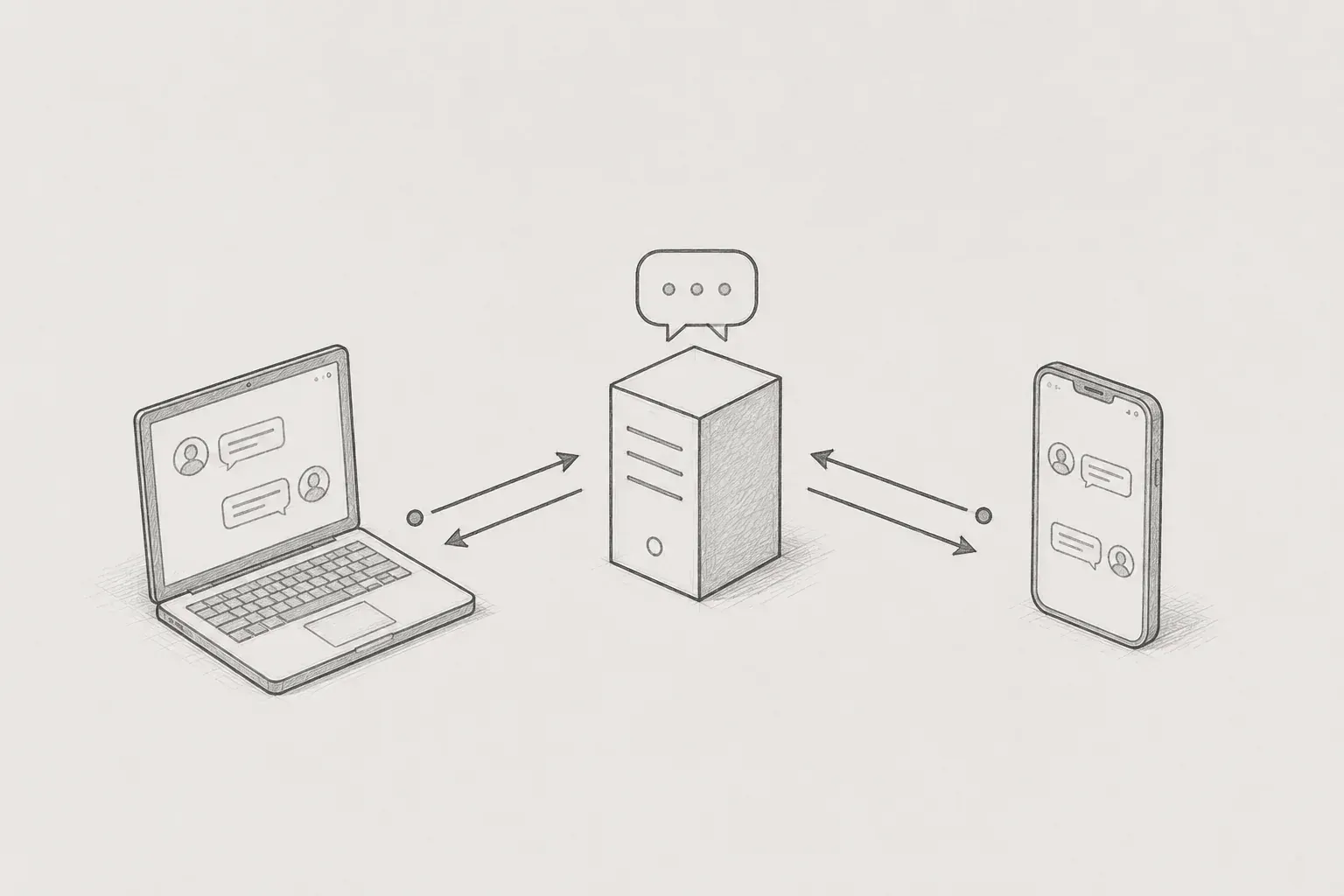
I am developing a real-time chat service where people gather in a chat room to exchange messages and share photos. Like a common messenger, this service displays the messages sent by others on my screen instantly without needing to refresh.
The first question that arises when creating real-time chat is, “How can we immediately notify the other people in the same room when someone sends a message?” If there are ten people in a room and one sends a message, that message should appear on the screens of the remaining nine almost simultaneously.
The simplest method that comes to mind is to “send the message body in real-time to the nine people.” However, we did not choose this approach. Instead, we designed it to send only a light notification saying “something happened” instead of the message body, and let the clients fetch the actual content again.
In this article, I would like to share why we made this choice, how we applied it, and what problems we encountered and solved during the process.
2. Before that, what is WebSocket?
Before getting into the main topic, let’s briefly touch on WebSocket, which serves as the foundation for real-time communication.
The general communication method we use when browsing websites is similar to exchanging letters. Whenever I have a question, I send a letter, that is, a request, to the server, and the server sends back a response, that is, a reply. Once that exchange is done, the conversation ends there. If I have another question later, I need to write and send a new letter.
The limitation of this method is that the server cannot initiate a conversation with me first. If I don’t ask, there’s no way for the server to inform me about any new updates.
Therefore, if we use this method in real-time chat, the client must constantly ask, “Is there a new message?” It’s like checking the front door every minute while waiting for a package. Since I have to keep asking even if there are no new messages, it’s wasteful, and there is a delay equal to the time interval between my queries.
On the other hand, WebSocket is closer to a phone call. Once I make a call and it connects, the conversation continues until it hangs up. In this state, either I can speak first or the other person can. This means that when there’s new information, the server can inform the client without having to be asked first.
This type of communication method, where both sides can freely exchange data while keeping the connection open, is WebSocket, which is well-suited for services like real-time chat that require the “server to notify the user first.”
We built on top of this WebSocket using a messaging protocol called STOMP, which standardizes the promise of “what address to send to and what address to subscribe to.” If there is a telephone line laid down, you can think of STOMP as the conversational etiquette regarding “how to communicate what content to whom.”
3. Technical choices: We only send “notifications” instead of the body
3.1. Verify identity first when connecting.
Chat content can contain sensitive information, so we cannot allow anyone to connect. Therefore, we check the user's token at the moment the WebSocket connection is first established. If there is no token, the format is incorrect, or the verification through the authentication server fails, that connection will be immediately blocked.
Here, there was one design choice. Typical requests are usually blocked by security filters on the front end of the server. However, since WebSockets maintain a persistent channel once connected, it felt more natural and efficient to check once at the moment of connection rather than checking every moment.
If we liken it to a phone call, it is like verifying who the other party is at the start of the call and then connecting.
3.2. Key Decision: We send ‘notification’ instead of the body
Now comes the most important design decision. When someone sends a message, we do not broadcast the entire message body to all the people in the same room. Instead, we only send a signal that 'a new message has been registered in this room.' The client that receives that signal will then fetch the new message in the usual way and display it on the screen.
To put it metaphorically, it is similar to push notifications in a typical messenger. The push notification itself only contains a short signal like '○○ sent a message,' and when we open the app, we fetch the actual conversation content at that time.
At first, one might think, 'If we are going to send it in real-time anyway, wouldn't it be easier to send the body altogether?' I also intuitively thought that way. However, there were clear advantages to only sending notifications, and after examining them, we chose this method.
First, the data flowing through the socket is lightweight. Whether it's a large message with an image attached or long text, only a small signal of 'new message available' flows through the socket. This means there is less burden on the real-time channel even when many people are conversing at the same time.
Second, we can centralize the accuracy of data and permission handling through one route. The actual data only flows down through a verified retrieval route. If we were to send the body through the socket as well, different forms of data could come out of the socket route and the regular retrieval route, complicating management, and logic like permission checks would need to be duplicated in both places.
Third, the client can only fetch what is needed. Since notifications only contain 'what has changed,' the client only needs to refetch the essential data according to the current state of the screen they are viewing. For example, if they are not viewing that room, they can update only the 'unread marker' without fetching the message body.
4. Process: Define the types of events
4.1. Notifications only contain 'what has happened'
The data exchanged through notifications does not contain the entire message body. Instead, it only contains information such as which room, about which target, and what occurred. Specifically, it includes the sender, room identifier, the affected target's identifier, and the type of event.
The key here is the 'type of event.' We have clearly categorized the events that may occur in the chat in advance. For example, the following are some of them.
- In cases where a new message is registered
- If the message has been read
- If the message is edited or deleted
- If the message is pinned, replied to, or reacted to with emojis
- If inviting to a room, creating or deleting a room, or leaving a room
We divided the types of events into over a dozen categories and expressed them with predefined values. The advantage of this method is that the server and client can clearly share the agreement of 'when this event occurs, this is how it will be handled'.
By only using predefined event types instead of arbitrary strings in notifications, we can reduce confusion caused by typos or omissions.
A typical flow is as follows. When a user sends a message, the server sends a notification containing the event type 'new message has been registered' along with the room identifier and the new message identifier to the people in the same room. The client that receives the notification then thinks, 'Oh, a new message has appeared in this room' and checks the messages in that room to refresh the screen.
4.2. The 'Read' handling also follows the same notification structure
The advantage of this notification structure is that it applies not only to new messages but also to other state changes. For example, when a user reads a message, the server updates the last read position of that user and sends a notification for 'message has been read' in the same room. Then, on the screens of other users, the 'read' status is updated in real-time using the same mechanism.
One thing we paid attention to here is that we only update and send notifications when the user reads beyond the previously read position. This is to ensure that the read position does not move backwards even if the user views previous messages again.
As a result, whether it's a new message, a message modification, or a read notification, all changes are unified into a consistent pattern of 'send notification → client re-queries'. Even if a new type of event occurs, it can easily be integrated into the same framework, making it easier to expand functionalities.
5. Notifications are sent only to online users.
Socket notifications make sense only for those who are currently connected and have the connection open. To use the previously mentioned phone call analogy, it’s like talking to someone who has already hung up on the call — no matter how much you say, they won’t hear it. Therefore, just before sending the notification, we first check if each intended recipient is currently online.
The server has information on who is currently connected, so when sending notifications, it queries that list to only send signals to those users that are online. Sending through sockets to users who are not connected would be pointless, as there would be no one to receive the signal, so it is filtered out to avoid unnecessary signaling.
The process of pre-selecting 'worthy targets to send to' has a greater effect in rooms with many people. Even if there are many people in a room, only a portion may actually be online, so by choosing to send only to those connected, we can reduce futile transmissions.
6. Issues Encountered and Solutions: Who to Notify When Leaving the Room
I would like to share one of the issues I faced while applying the notification structure.
Most notifications can be sent to 'all current members of this room'. So initially, I made it so that every time a notification was sent, the current member list was queried using the room identifier to send them. This worked well for new messages, message edits, read receipts, etc.
However, issues arose when deleting a room or leaving a room. When a room is deleted or a user leaves, by the time that process is completed, the member information has already been cleared and disappeared. In that state, querying the 'current member list' led to situations where it was unable to find the targets to notify about 'you have left the room' or 'this room has been deleted'.
When I tried to send a notification, the recipient had already been removed from the list.
Upon investigation, the issue was that the timing of querying the notification targets did not align with the timing of when member information was disappearing. Under normal circumstances, querying 'who is currently in this room' as needed was sufficient, but events like leaving or deleting a room changed the results of that query.
To resolve this, I divided the method of determining the notification targets based on the type of event. In cases like room deletion or leaving, where member information is cleared, I decided to send notifications using the list of targets that I had secured in advance before members disappeared. In contrast, for more general events like new messages or edits, I continued to query the current members as before.
In other words, I differentiated based on the nature of the event, whether to 'query the current state to send' or 'to send to targets held before they disappeared'.
Through this experience, I learned that deciding 'who to send notifications to' is not simply about looking at the current state. Depending on the nature of the event, you also have to consider whether to use information from before or after data disappears.
Thanks to clearly categorizing the types of events in advance, I was able to neatly distinguish different processes for each event type, which was very helpful.
7. Results and Reflections
As a result of applying this design, signals of 'what happened' flowed lightly through sockets, while the accuracy of actual data was managed by verified query paths. Even with an increase in the types of notifications, expanding was straightforward since we could simply add new events to the pre-defined classifications and reuse the same transmission method.
The biggest lesson learned was that the idea of 'real-time = pushing all data in real-time' is not always correct. Rather, the approach of 'quickly notifying changes while retrieving data through reliable paths' was simpler and more robust. It was as if we divided the roles so that the real-time channel and the general query path focused on what each does best.
Of course, there are still areas for improvement. For example, the current method of determining online user information is based on a single server, so if we expand to multiple servers, we will need an additional structure to share connection information between servers.
Even what appears as a simple feature like real-time chat encompasses tightly woven decisions about 'what, when, and to whom to send', which I could directly feel through the process of creating it. I hope this article serves as a small reference for those facing similar dilemmas.
messi