
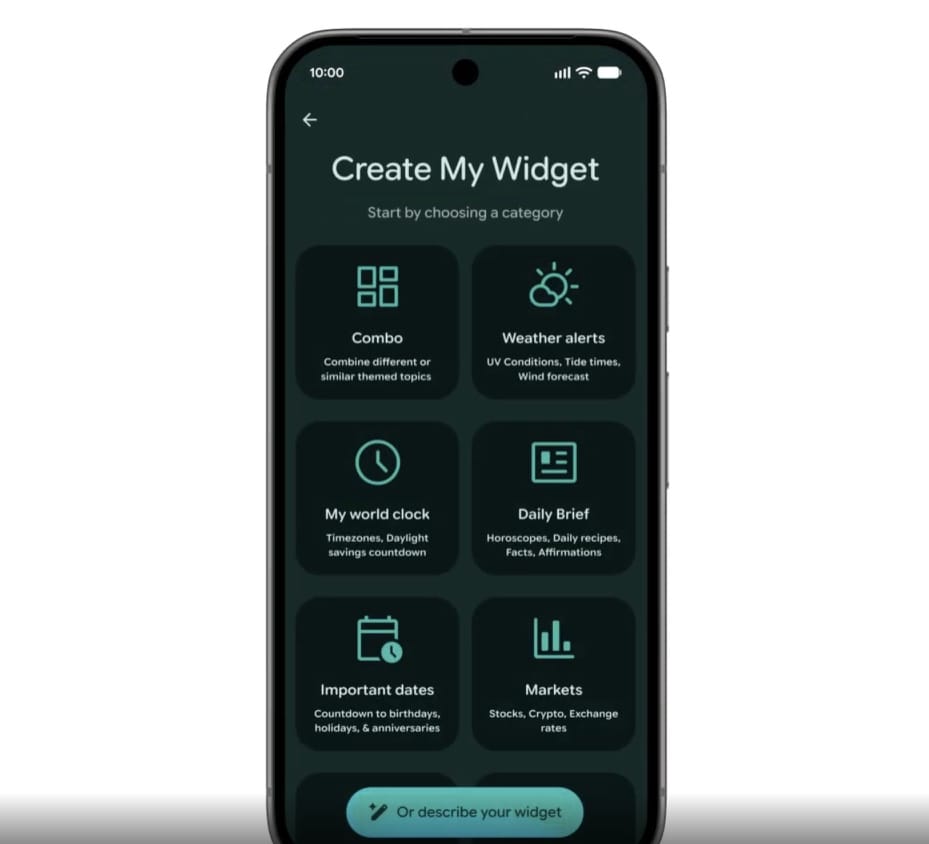
Through Android Show in May 2026, Google unveiled a feature called Create My Widget. This feature allows Gemini to create an appropriate widget when users describe the functionality they need. Put simply, it is vibe coding on a phone. It may mark the beginning of an era in which coding is no longer exclusive to developers, and anyone with a smartphone can develop the functionality they need without even requiring a high-performance laptop.
Unfortunately, due to various reasons, including security concerns and legacy environments, I have not yet had many opportunities to actively utilize AI in my personal work environment. Does that mean that, as a mediocre developer who is not as skilled as top-tier developers even when doing legacy development, I will inevitably fall behind in this era?
I cannot predict what the future holds, but I decided to experiment with the direction Google has proposed—with OpenAI's ChatGPT, that is (laughs). My goal was not to develop something at a business level or with profit generation in mind, nor was it for studying. Rather, it was: “Let’s develop something that can solve the inconveniences I experience in my daily life.”
1. Organizing the inconveniences and requirements

I am personally interested in conversation, so I have been studying English conversation. After going through many trial-and-error processes, I had devised a learning method and routine that suited me, step by step, but I continued to feel inconvenienced each time I used it.
<My Three-Step Conversation Study Method>
Step 1: Prepare a speech video on a topic of interest, watch it repeatedly, and understand the context
Step 2: Check your understanding one sentence at a time
Step 3: Shadowing
Although it takes a long time, I think this learning method suits me quite well personally. However, the problem is, once again, that it takes a long time. It is only natural for the time required for studying to vary depending on my performance, but the time spent preparing for study was too long. Through conversations with AI, I identified the three areas among the various inconveniences that most needed improvement and organized them into requirements.
<Inconveniences and Requirements>
-
It takes a long time to find or prepare scripts. I want to reduce this time.
-
A lot of unnecessary time is spent on activities unrelated to studying, so it takes too long to finish a single video. (For example, rewinding to five seconds earlier just to listen to something from two or three seconds earlier.)
-
I want to create an environment where I can study anytime and anywhere, regardless of the device or environment.
2. Reviewing the solution based on the requirements
After organizing the requirements independently as described above, I worked with Codex to develop and technically validate a solution. First, I prioritized solving the biggest inconvenience: the excessive amount of unnecessary time required to study a single video. My plan was to provide the URL of the video to be studied, extract its script, automatically split the extracted script into individual sentences based on context, assign timestamps for the beginning and end of each sentence, and create study materials that would allow the video to be listened to quickly one sentence at a time.
I finalized the solution plan by creating a mobile learning app so that the resulting study materials could be used anytime and anywhere, regardless of the device or environment.
<Solution>
-
Based on the URL of the video to be studied, extract the video's script, parse it one sentence at a time based on context, and generate study materials by storing the start and end timestamps of each sentence together with the sentence.
-
Import the extracted study materials into the mobile app and proceed through the study steps.
-
Development
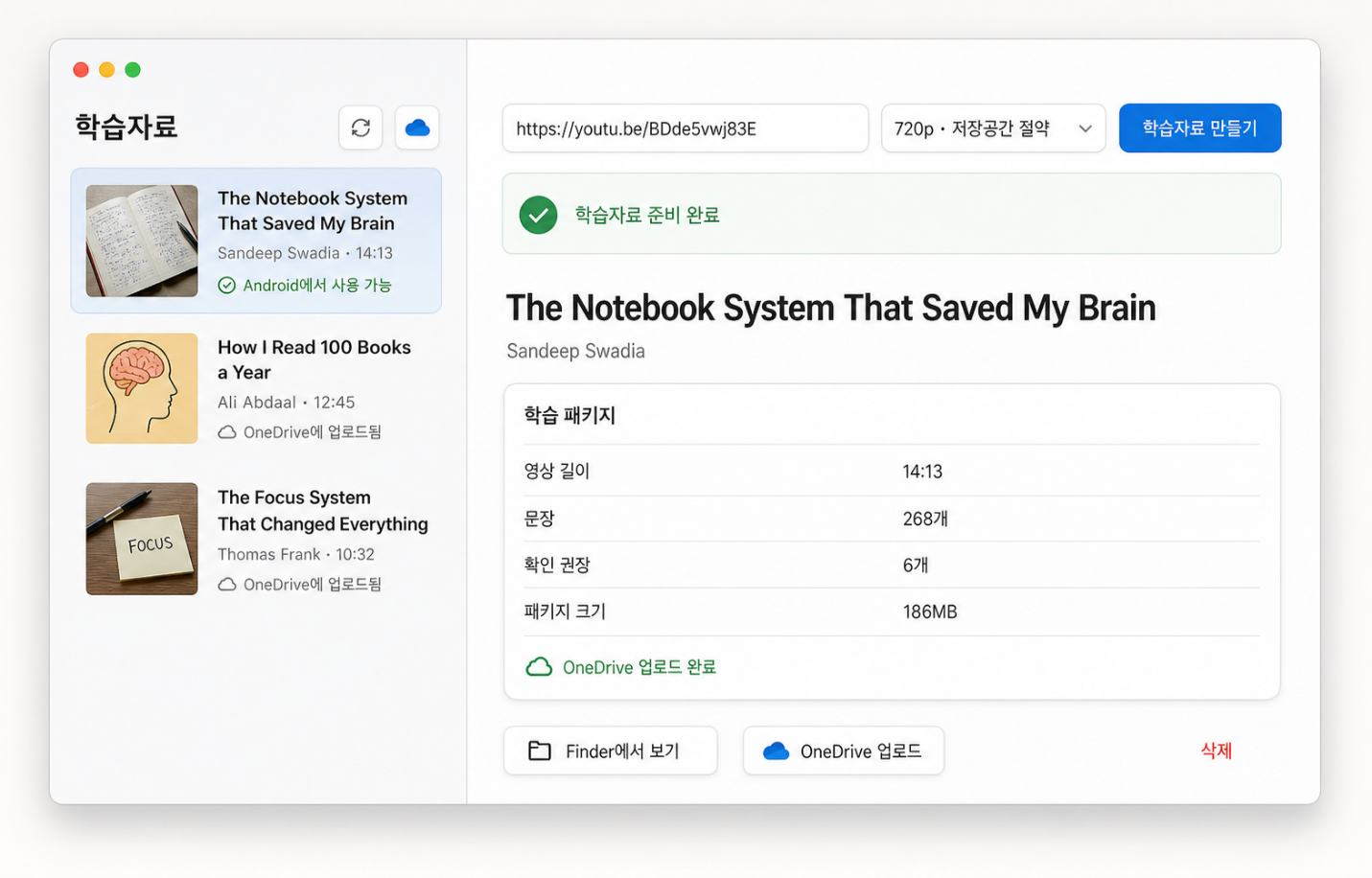
I determined that integrating the functionality for extracting a video, extracting its script based on the video's audio data, and mapping timestamps to each sentence into a mobile app would be unsuitable from a performance perspective. Therefore, I first created a desktop app that runs on Mac, and configured it to generate the study materials.
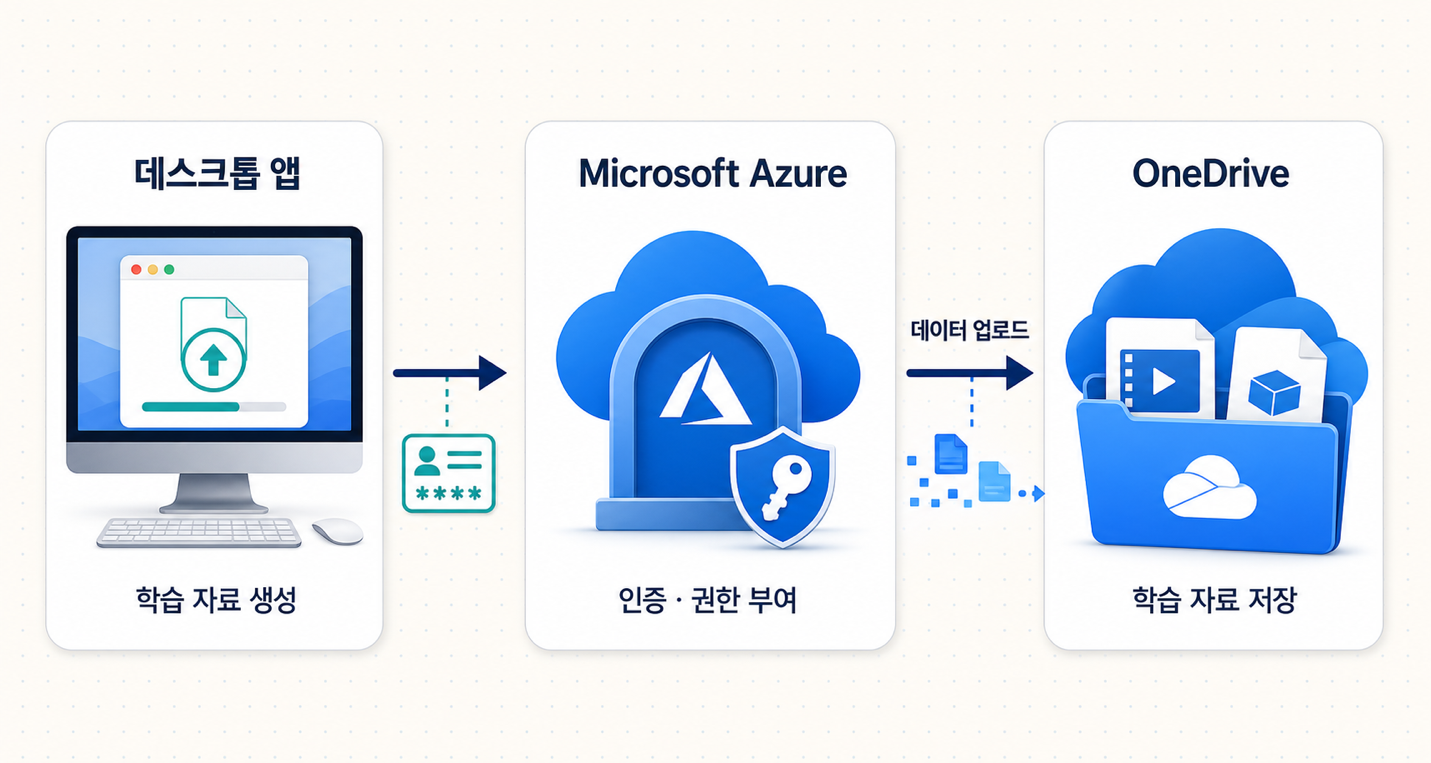
After making several revisions, I simplified the process so that the final study materials—with sentence-by-sentence parsing and timestamp mapping completed—would be automatically uploaded to my personal OneDrive. To accomplish this, I used Microsoft Azure Entra ID, Application registration, and Graph API to configure automatic uploads to my personal OneDrive once preparation of the study materials was complete.
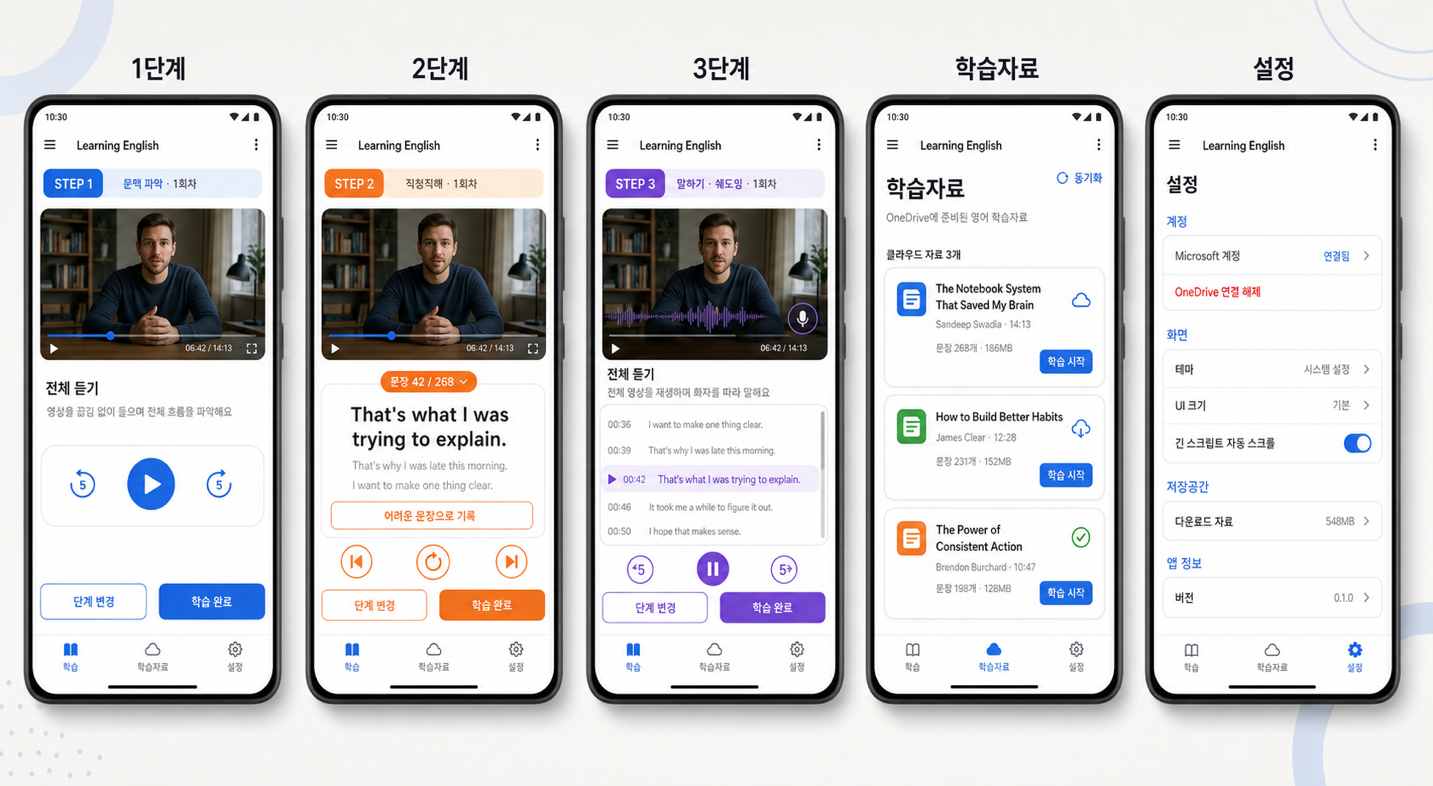
The direction of the mobile app was to integrate with OneDrive, with downloading materials and conducting study as its core functions. I designed different UIs for each step according to my own study method. In particular, Step 2 was configured to play one sentence at a time, and I added editing functionality for the preceding and following sentences so that users could customize sentences that were too short or too long. I also added a tracking feature that counts the number of sessions completed at each step, allowing me to track my study progress.
The ultimate goal was to release the app on a marketplace. However, after actually developing it, I determined that having a single mobile app handle both study-material preparation—extraction, parsing, and sentence mapping—and the study itself was not appropriate. It would have been possible to configure a cloud server and process the desktop app's functionality in the cloud, but I excluded that option because the server costs seemed burdensome for personal use. If I refine the functionality and consider commercialization in the future, it may be worth taking on that challenge.
Ultimately, I think it was a fairly meaningful personal achievement to develop both a desktop app and a mobile app to a level suitable for actual use with $20 worth of Codex tokens. If I followed my enthusiasm alone, I could boldly invest $100 or $200 and try even more varied experiments, but as a mediocre developer, I always have to consider (Physical) Resource, right?
On the other hand, I confirmed that even a mediocre developer can get sufficient practice turning ideas in their head into real products with just $20 per month.
NZ